Every cold email guide says to keep your bounce rate low, and almost none of them say what low means. There is a reason for that vagueness: no mailbox provider publishes a bounce percentage that is safe. The honest answer to “what bounce rate is acceptable” is “as close to zero as a verified list allows, and pay attention the moment it moves”.
That is not a dodge. It reflects how receiving servers actually use bounces. A bounce is not a penalty in itself. It is evidence, and the evidence points to one conclusion: this sender is writing to addresses they did not check. Senders who do that tend to be the senders nobody wants in the inbox.
This article covers what kinds of bounce exist, why the change in your bounce rate matters more than the level, how to keep bounces down before you send, and how to set a threshold that stops a campaign early enough to matter.
Hard bounces, soft bounces, and the ones you never see
A hard bounce is a permanent rejection. The receiving server says the address does not exist, or the domain refuses mail from you outright. The message will never be delivered no matter how many times you try.
A soft bounce is a temporary rejection. The mailbox is full, the server is overloaded, the message is too large, or a greylisting filter wants you to retry later. A soft bounce that clears on retry is noise. A soft bounce that repeats for the same address for days is, in practice, a hard bounce wearing a different label.
Then there is the category that never reaches you. A receiving server can accept a message with a polite success code and then file it in spam, or discard it. From your side it looks delivered. From the prospect’s side it never arrived. Bounces are the visible edge of a problem whose larger part is invisible, which is why a rise in bounces deserves more attention than its size suggests.
Why nobody publishes a safe number
Mailbox providers publish guidance for senders, and they are specific about some things. Google’s sender guidelines for example name a spam complaint rate that bulk senders must stay under, and it is a small fraction of one percent. But on bounces the guidance stays qualitative: keep them low, remove invalid addresses, do not send to lists you did not collect.
The reason is that bounces are weighed against everything else. A domain that has sent steadily for years, gets replies, and has full authentication can absorb an occasional run of bad addresses. A new domain with no history and a hundred cold sends a day cannot. The same bounce rate means something different for each, so a single published threshold would be wrong for most senders.
What you can say with confidence: a list that was verified before sending produces very few hard bounces, because the addresses that would bounce were removed. If your campaign is producing noticeably more than that, either the list was not verified or the bounces are not about the list at all.
The change matters more than the level
Say you run two campaigns a month apart, built from the same source with the same verification step. The first sends 200 messages and 2 bounce. The second sends 200 and 12 bounce. Both numbers are small. The second is six times the first, and nothing about the list changed.
That pattern is the one to watch for. When bounces rise on a list of the same quality, the likely explanation is that receiving servers have started rejecting your mailbox or domain outright rather than accepting and filtering. Rejection shows up as a bounce with a reason code about policy or reputation rather than about an unknown user. Read the bounce reasons; they are different messages and they call for different responses.
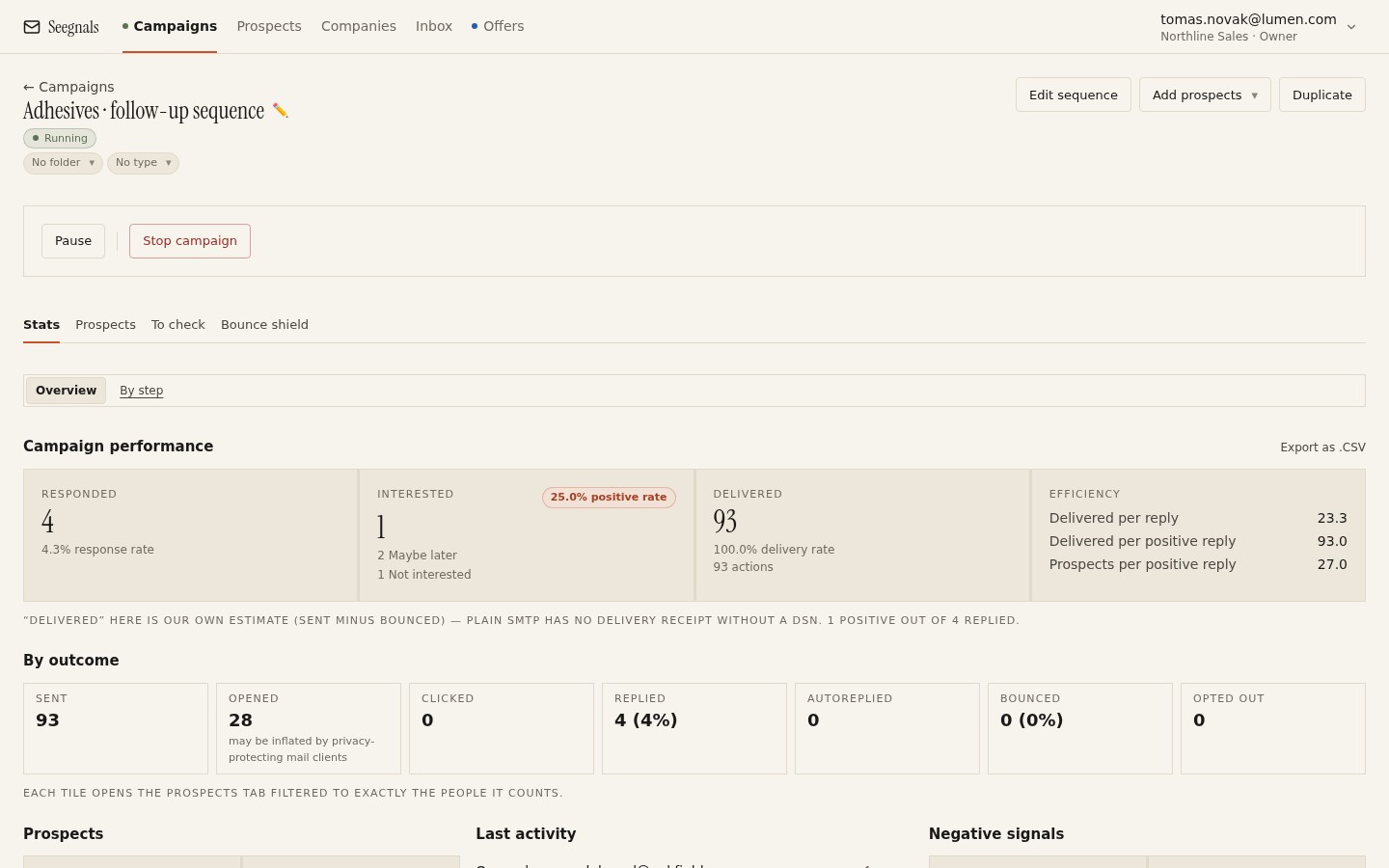 The Bounced tile opens the list of exactly who bounced, so you can read the reasons rather than guessing from a percentage.
In the campaign Stats tab, the Bounced tile is clickable. It takes you to the Prospects tab filtered to the people who bounced, where you can see the addresses and work out whether they share a pattern: one domain, one company, one import batch, or spread evenly across everything, which points at your side rather than theirs.
Most bounces are a list problem, so fix the list first
Before you touch sending settings, rule out the list. Three things cause the majority of hard bounces in cold email.
Addresses that were guessed. Lead tools often construct addresses from a name pattern and mark them as likely rather than confirmed. Some of those guesses are wrong. Verification on import catches most of them by asking the receiving server whether the mailbox exists, without sending anything.
Addresses on catch-all domains. A catch-all domain accepts mail for any address, so verification cannot tell a real mailbox from a made-up one. The result is unknown, and it is worth treating unknown as a separate group rather than mixing it with confirmed addresses. The mechanics are covered in catch-all domains and email verification.
Stale addresses. People change jobs. A list exported a year ago has a share of addresses that were valid then and are not now. Re-verify anything older than a few months before it goes into a campaign.
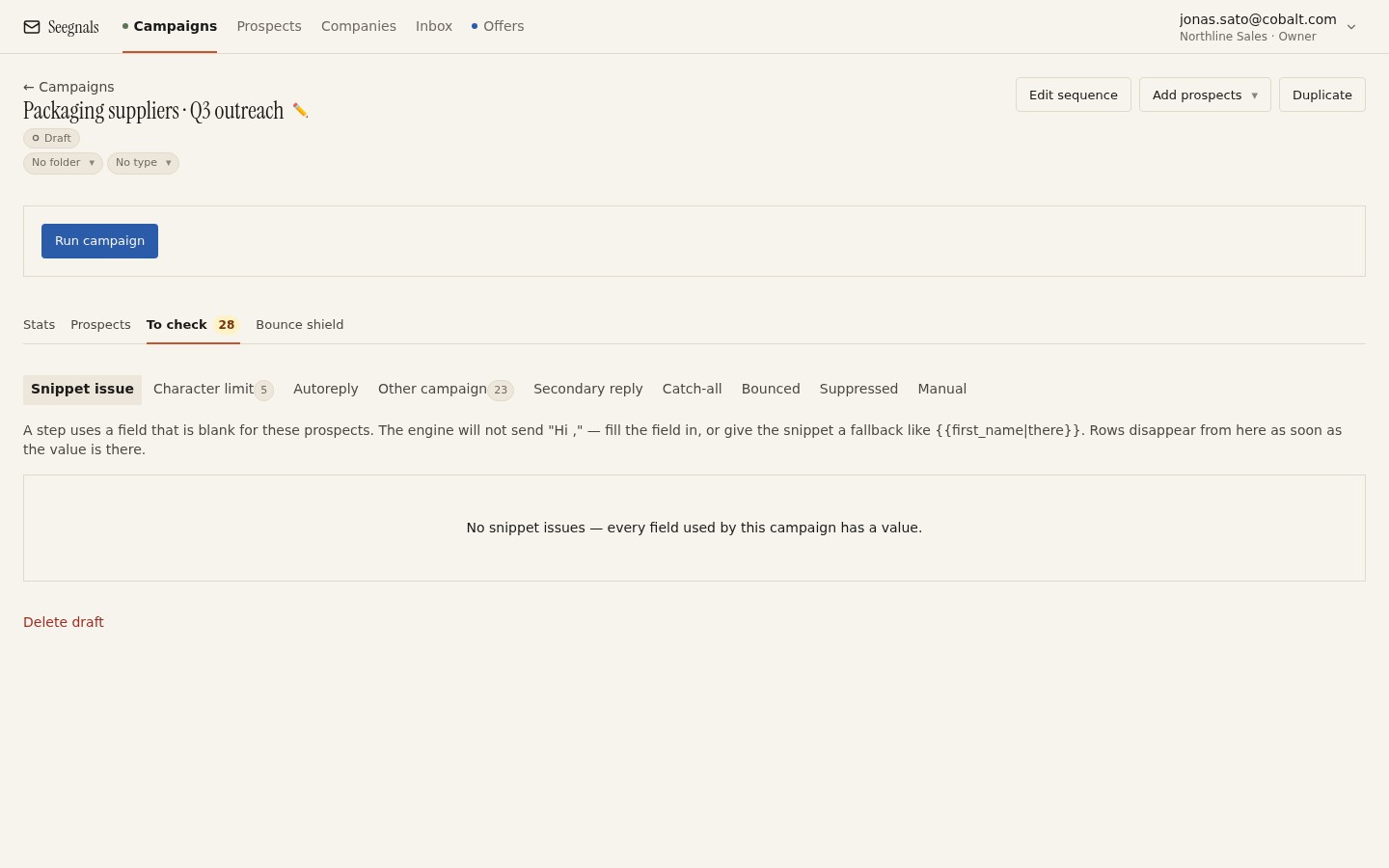 Unverifiable addresses, suspicious domains and duplicates wait here instead of going out; you decide whether to fix or skip each one.
Seegnals runs verification on import and holds anything doubtful in the To check queue before the first send. That queue is where most future bounces are caught. Skipping it to get a campaign out faster trades a few minutes now for a reputation problem later.
Setting the bounce shield threshold
Even with a clean list, something can go wrong mid-campaign: a batch of addresses from one company all turn out stale, or a receiving domain starts rejecting you. The bounce shield exists for that. You set a threshold per campaign, and when bounces cross it the campaign pauses itself and sends you a notification.
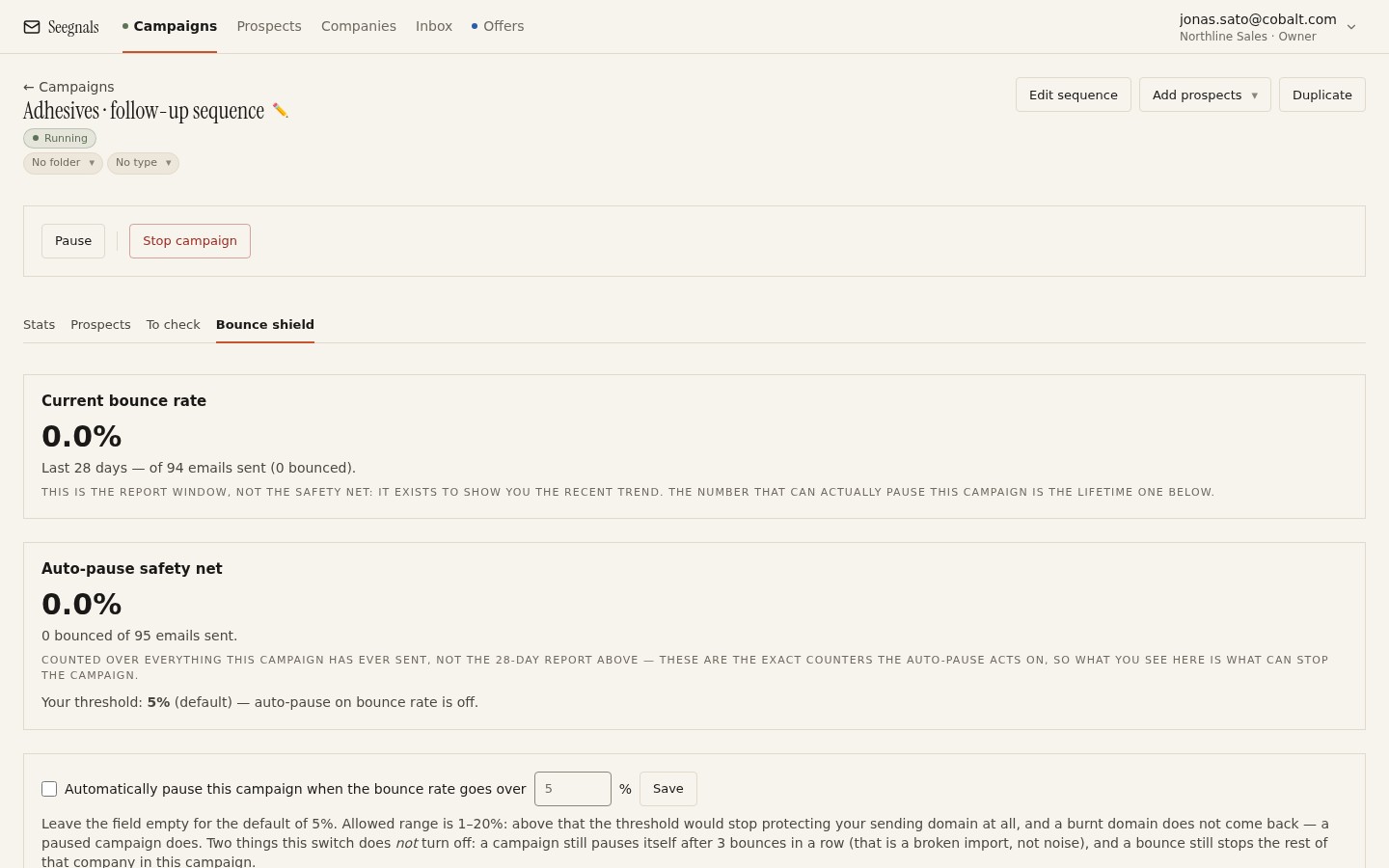 A campaign that pauses itself after a handful of bounces costs you an afternoon; one that runs on through them costs you the domain.
The instinct is to set the threshold generously so the campaign is not interrupted. Resist it. The point of the shield is to stop sending while the bounce count is still a handful, because every further send to a bad list makes the picture worse. A threshold you would be annoyed to hit is about right. If it triggers and the cause turns out to be harmless, resuming takes one click. If it never triggers because it was set too high, it has done nothing for you.
Think about it in absolute terms as well as percentages. A campaign sending 30 messages a day that gets 3 bounces on Monday has a 10% bounce rate for that day. That is not a statistic, it is a warning, and you want to hear it on Monday rather than after Friday’s sends.
Spot the bounces that signal a reputation problem
If you have ruled out the list and bounces are still rising, the mailbox or domain is being rejected. The bounce reasons will say so, often naming a blocklist or a policy.
The response has three parts. Lower the daily limit on the affected mailbox, as described in daily sending limits per mailbox, so that whatever damaged the reputation stops compounding. Check the Deliverability tab for SPF, DKIM and DMARC, because a record that broke recently produces exactly this pattern. And look at the suppression list: a prospect who asked to be removed and was mailed again is a complaint waiting to happen, and complaints turn into rejections.
Rebuilding takes weeks of low, steady, well-received sending. There is no faster route, which is why catching the rise early matters so much.
What to do this week
- Open the Stats tab of your last three campaigns and click the Bounced tile on each. Read the bounce reasons and sort them into unknown address, policy or reputation, and temporary.
- Check that every campaign has the bounce shield on, and lower any threshold that would let more than a handful of bounces through before pausing.
- Find any prospect list older than a few months that is still feeding a campaign and re-verify it before the next send.
- Look at the To check queue. If prospects have been sitting there for weeks, decide on each one; do not clear the queue by sending them all.
- If bounce reasons mention policy or reputation, cut the daily limit on that mailbox today and confirm the domain’s authentication passes on the deliverability page checklist.