Every colleague in your company sends email from the same domain. Invoices, support replies, contract negotiations, a note to the accountant. When a cold email campaign from that domain goes wrong, all of that goes with it. The receiving servers that decide where mail lands do not know which of your mailboxes runs outbound; they know the domain.
That single fact is the whole argument for sending cold email from a separate domain. It is also why the question does not have a universal answer. A separate domain protects the main one at the cost of some trust, some setup, and a domain that starts with no history. Whether that trade is worth it depends on how much cold email you send, how careful you are, and how much your main domain has to lose.
This article lays out the trade honestly, then shows how to set up a secondary domain in a way that keeps the protection and limits the cost.
The domain is the unit of reputation
Receiving servers build a score from every message they see with your domain in the From address and in the DKIM signature. Bounces, complaints, messages deleted unread, messages replied to, authentication passing or failing: all of it accrues to the domain. A per-mailbox reputation exists too, but it is the weaker signal, because addresses are easy to create and domains are not.
The practical consequence is that reputation is shared. If a sales mailbox on yourcompany.com sends to a poorly verified list and produces a run of bounces, the finance mailbox on the same domain inherits part of the damage. The cost shows up as a customer who did not receive an invoice, a candidate who missed an interview confirmation, and nobody connects it to last month’s campaign.
That shared fate is also why the practices in daily sending limits per mailbox matter so much on a main domain. The mailbox limit is a domain protection wearing a mailbox’s name.
The case for a separate sending domain
A dedicated outbound domain puts a wall between cold email and everything else. If the campaign goes badly, the sending domain’s reputation suffers and the main domain’s does not. Your colleagues’ mail continues to arrive. You can lower limits, pause, or in the worst case retire the sending domain and start another, without the company’s core correspondence being involved.
It also gives you room to experiment. Sending to unknown or catch-all addresses, discussed in catch-all domains and email verification, is a reasonable risk on a domain built for it and an unreasonable one on the domain your customers write to.
For a team sending more than a trickle of cold email, this is the stronger position. The larger the volume, and the more people share the main domain, the stronger it gets.
The case against
A separate domain is a less familiar name. yourcompany.com is on your website, your invoices and your business cards; yourcompany-team.com is on none of them. A prospect who checks the sender, and careful prospects do, sees a domain they have never encountered. Some will look it up. Some will assume it is a phishing attempt. The gap is small if the name is close and the domain serves a real page, and large if the name is odd and the domain is a blank.
A new domain also starts with nothing. It has no history at any receiving server. Its first messages are judged on authentication and content alone, and receiving servers are cautious with domains registered recently. You cannot buy that history; you can only build it slowly. Seegnals does not automate this warm-up period yet (it is planned through a partner), so the building is done by hand, with low limits and ordinary correspondence.
And there is more to maintain. Two domains means two sets of SPF, DKIM and DMARC records, two DMARC report streams, two things that can break. The Deliverability tab shows the checks per domain, which helps, but the records still have to be right.
For a small team sending a few dozen messages a day with a well-verified list, these costs can outweigh the protection. For everyone above that, they usually do not.
Setting up a secondary domain well
If you decide to separate, the details decide whether it helps.
Choose a name that a prospect will recognise as you. The usual patterns are a different ending (yourcompany.co alongside yourcompany.com), a short suffix (yourcompany-hq.com), or a descriptive prefix (get-yourcompany.com). Avoid anything that looks like a typo of the main name; that is what impersonation looks like, and filters know it.
Make the domain real. Point its web address at your actual site, or serve a simple page that names the company and links to it. A domain with no website is a domain with no evidence that a real organisation stands behind it.
Set up authentication before anything sends. SPF listing your mailbox provider, DKIM with the key published, DMARC starting at p=none with reporting. The full walk-through is in SPF, DKIM and DMARC for cold email senders. Confirm all three pass in the Deliverability tab before you connect the mailboxes to a campaign.
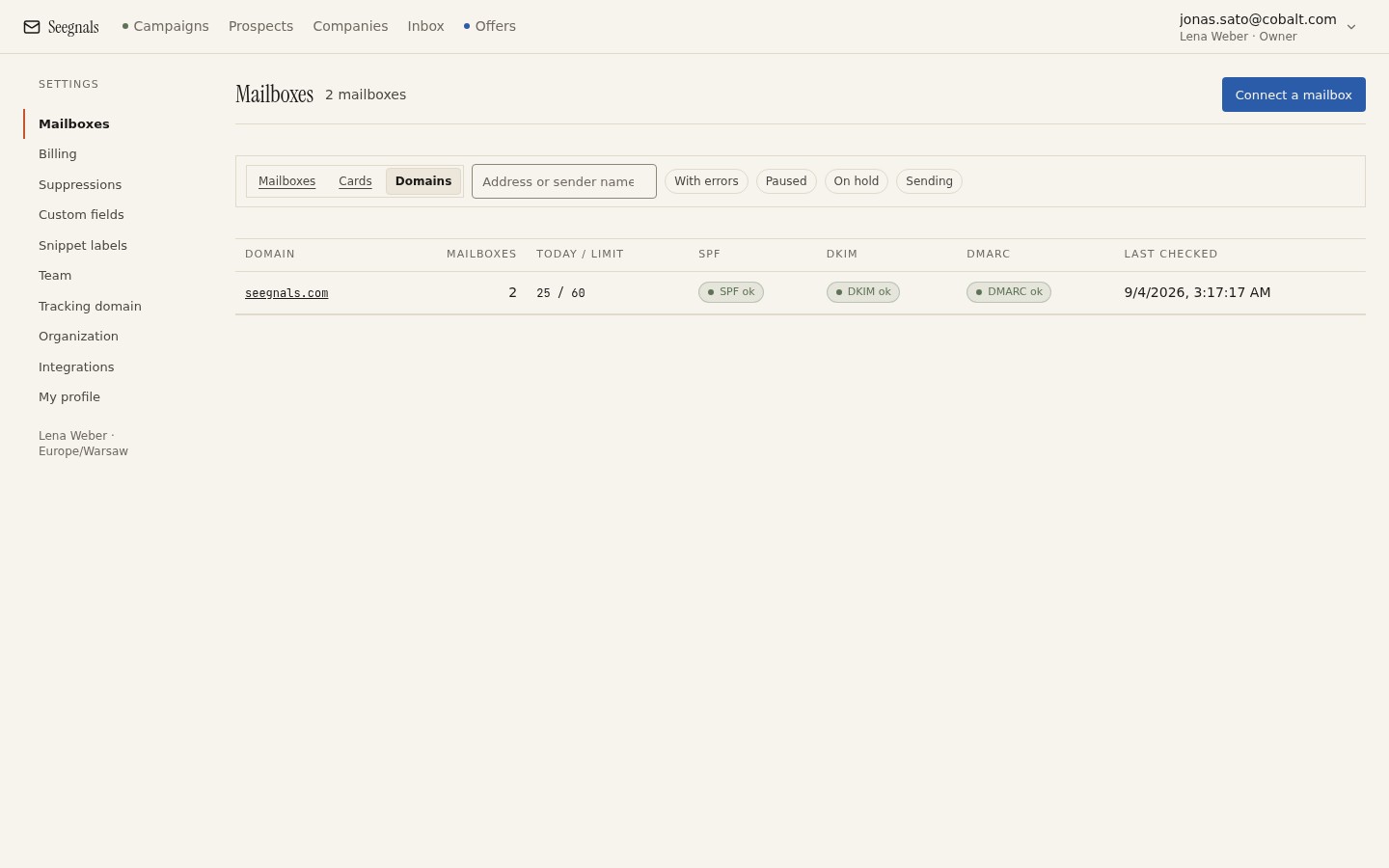 Each domain gets its own row and its own three checks; a green main domain says nothing about the sending domain beside it.
Create mailboxes with real names. anna.kowalska@yourcompany-hq.com is a person; sales1@ is a list. Use those mailboxes for some ordinary correspondence during the first weeks, so that the domain’s history begins with conversations rather than campaigns.
Start with a low daily limit and hold it there longer than feels necessary. A new domain that goes from nothing to a hundred messages a day in its first week has told every receiving server exactly what it is.
Running both domains
Once the sending domain is live, the division of labour is straightforward. First contact goes from the sending domain. Everything that involves someone who already knows you stays on the main domain: customer support, contract discussions, proposals to people you have spoken with.
The awkward moment is the hand-off. A prospect who replied to a message from the sending domain has a thread with that address. Do not redirect their reply to the main domain mid-conversation; the thread breaks and the prospect sees a different sender. Instead, when the conversation is established, introduce your main address in the thread (“copying my main address for the proposal”) and continue from there. Seegnals shows replies from all connected mailboxes in one inbox with the company beside the thread, so which mailbox a conversation lives on is visible rather than a surprise.
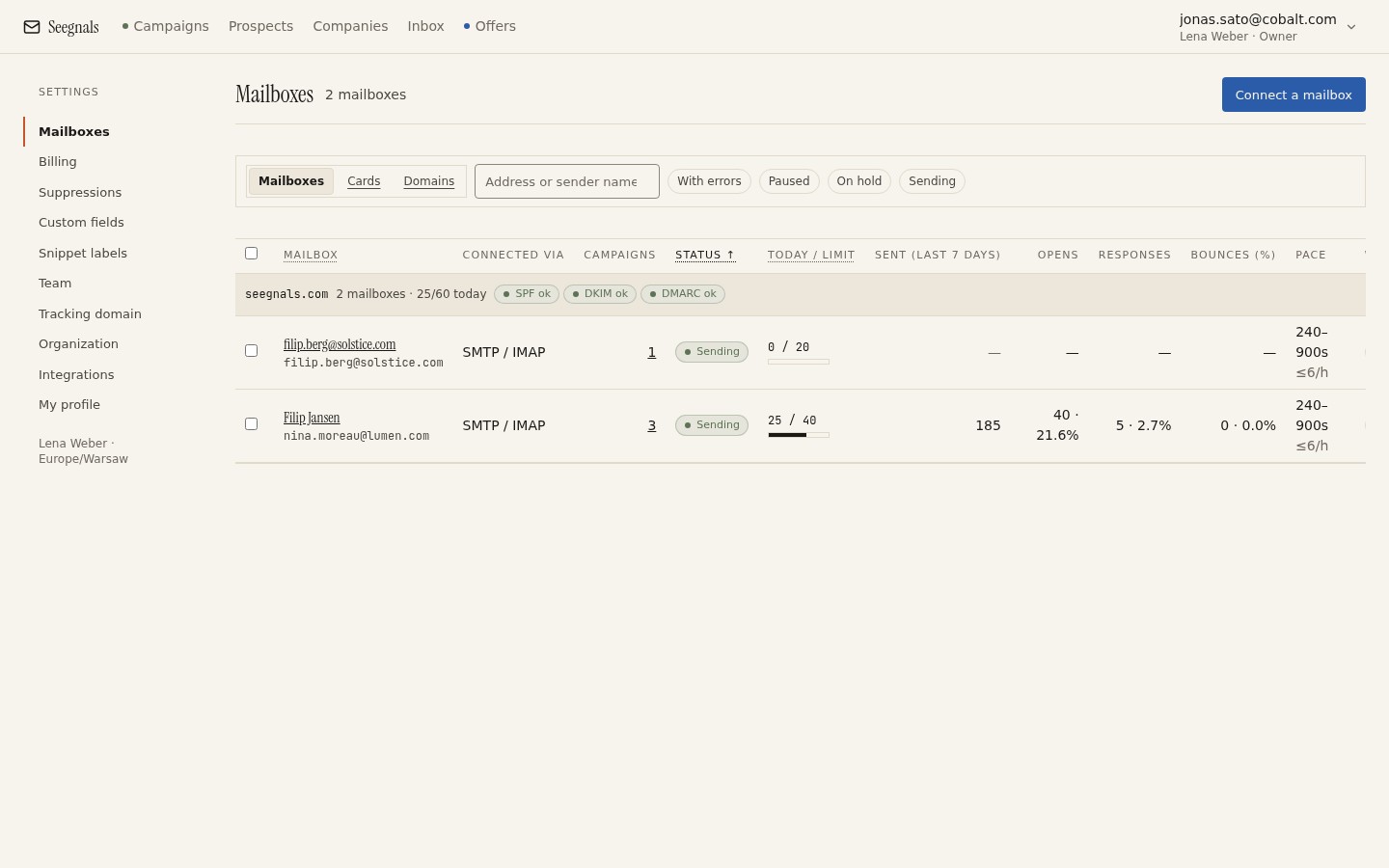 Connect mailboxes from both domains: the ones on the sending domain carry the campaigns, the main-domain one is there for conversations that have already started.
Suppression applies to both. A prospect who unsubscribed from a message sent by the outbound domain has unsubscribed from you, whatever domain carried the message. Keep one suppression list across the workspace, by address and by domain, so that a name removed once stays removed whichever domain a future campaign uses.
The rules that do not change
A separate domain lowers what is at stake. It does not change what works. The list still needs verifying. The daily limit still needs to be modest. Bounces still need watching, with the bounce shield set to stop early. Authentication still needs to pass. A dedicated sending domain that ignores these will simply burn faster, and then you are choosing a third domain and wondering why.
Think of the separation as insurance, and not as permission. The deliverability page has the full checklist, and every item on it applies to the sending domain exactly as it would have applied to the main one.
What to do this week
- Count the people who send ordinary email from your main domain. If the number is more than a handful, that is how many colleagues a cold email mistake reaches, and the case for separation is made.
- If you separate, register a domain close to your main name today, point its web address at your real site, and publish SPF, DKIM and a
p=noneDMARC record before creating any mailbox. - Create mailboxes with real names on the new domain and use them for genuine correspondence for a few weeks before the first campaign.
- Connect the new mailboxes with a daily limit lower than your main-domain mailboxes ever had, and write down the date you will review it.
- Check that your suppression list is shared across the workspace so an unsubscribe on one domain is honoured on the other.