If you type “how many cold emails per day per mailbox” into a search engine, you get two kinds of answer that contradict each other. One quotes the sending caps that Google and Microsoft publish. The other says something like “keep it low”, without saying what low means or why.
Both are partly right. The provider cap is real, and you will hit a wall if you cross it. But it is a ceiling designed for ordinary business correspondence, where every recipient knows you. It says nothing about how many unsolicited messages a mailbox can send before receiving servers start filing them under spam.
The short answer: set your own limit per mailbox, keep it in the tens of messages a day, treat follow-ups as sends, and grow by adding mailboxes rather than by raising the number. The rest of this article explains why that works and how to run it in practice.
Two limits that are not the same thing
The first limit belongs to your mail provider. Google Workspace and Microsoft 365 both document how many messages an account can send in a day and how many recipients it can address. You can read those numbers in Google’s Workspace documentation and in Microsoft’s Exchange Online limits. If you exceed them, the provider blocks sending for a period. That is a mechanical stop. Your reputation is fine.
The second limit is the one that matters for cold email, and nobody publishes it because it is not a fixed number. It is the point at which the servers receiving your mail decide that this mailbox, and by extension this domain, behaves like a bulk sender rather than a person. That judgement is built from many signals: how many messages arrive from you in a short time, how many bounce, how many recipients delete without reading, how many mark you as spam, whether your domain has authentication in place.
A cold email mailbox that sends at the provider cap will hit the second limit long before it hits the first. The provider will never stop you, and yet your messages will quietly stop arriving in the inbox.
Protect the whole domain with one mailbox limit
It is tempting to treat each mailbox as its own risk. Sending too much from anna@yourcompany.com hurts Anna, the thinking goes, and nobody else. That is not how filtering works. Receiving servers score the sending domain, the sending IP range and the individual address, and the domain carries the most weight because it is the hardest to swap.
So when one mailbox on your domain sends aggressively and earns a bad score, the other mailboxes on the same domain inherit part of that score. Your colleague’s perfectly ordinary message to a customer can land in spam because a sales mailbox on the same domain was pushed too hard last month. This is the strongest argument for the practice covered in should you send cold email from your main domain: whatever limit you pick, pick it knowing that the whole domain pays for mistakes.
How to pick a starting number
There is no formula, but there is a sensible procedure.
Start with the age of the mailbox. A mailbox that has been used by a real person for months has a history of normal two-way conversation. Receiving servers have seen it send a few messages a day and get replies. That history is a cushion. A mailbox created last week has nothing, and its first messages are judged on the domain’s reputation alone.
Then look at what the mailbox does besides cold email. If it also handles customer conversations, keep the cold email share small so that the ratio of replies to sends stays healthy. If it is dedicated to outbound, you have more room, but you also have no organic conversation to balance the picture.
A practical way to think about it: pick a number you would be comfortable sending by hand in a working day, one at a time, to people who have never heard of you. For most people that is a few dozen. Set that as the limit, and leave it there for several weeks before you consider raising it.
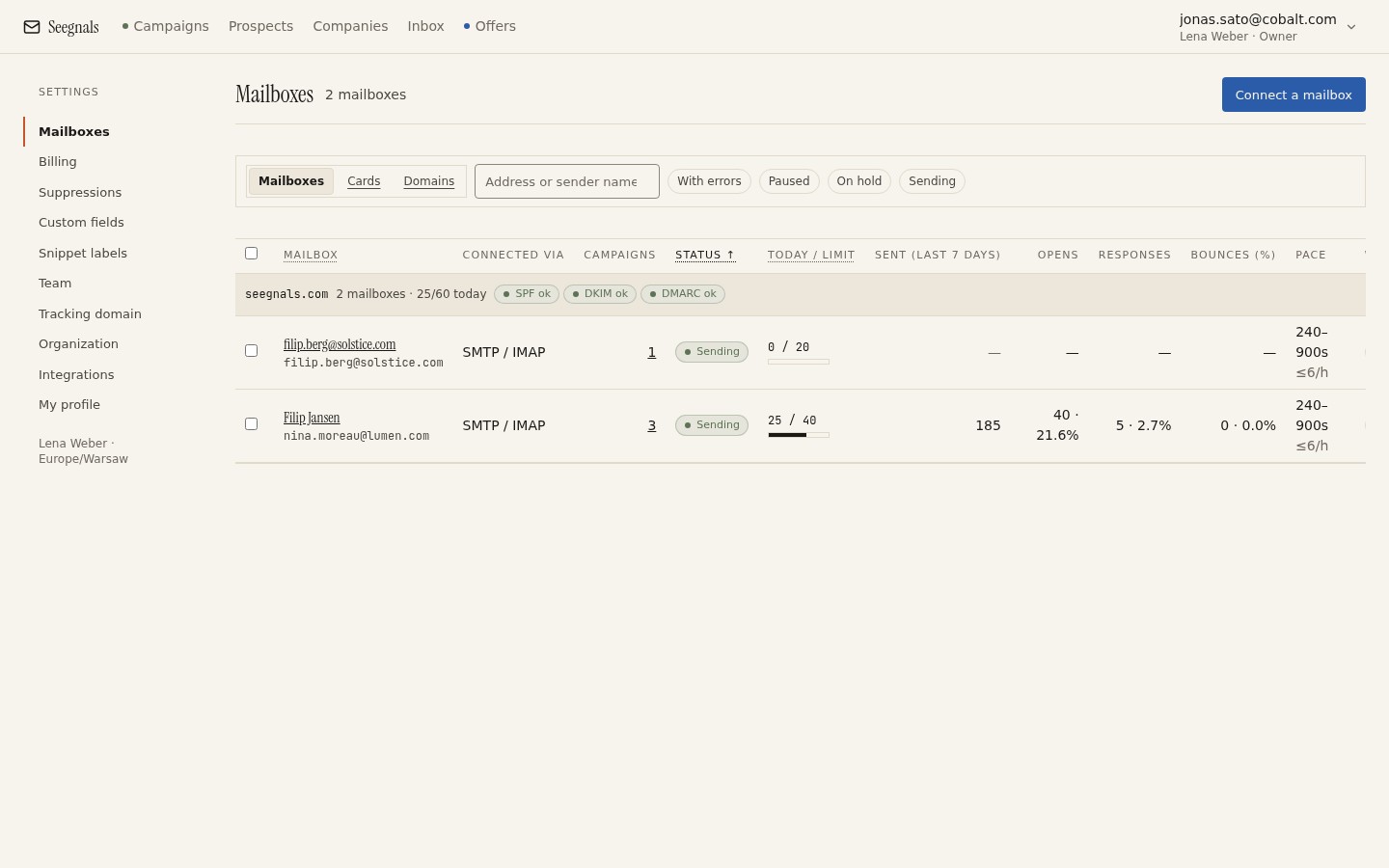 Each mailbox carries its own daily limit; the campaign never sends past it, and you see at a glance which mailbox has room today.
In Seegnals the limit lives on the mailbox. That is deliberate. A campaign might use three mailboxes, and another campaign might use two of the same three. If limits were set per campaign, the two campaigns could together push one mailbox past what you intended. With the limit on the mailbox, no combination of campaigns can exceed it.
Scale volume by adding mailboxes
Say you need to reach 400 plants in DACH over the next quarter and you want to keep every mailbox at 30 messages a day. One mailbox gives you 30 a day. Three mailboxes give you 90 a day. Five give you 150. The arithmetic is simple, and it is the whole strategy.
Adding a mailbox does not reset the risk to zero. All the mailboxes may share a domain, and the domain is still scored as a whole. But spreading the same volume across more addresses keeps each address looking like a person, and that is what the per-address signals reward. How the rotation itself works, and why a prospect stays with the mailbox that first wrote to them, is covered in mailbox rotation explained.
The alternative, raising one mailbox from 30 to 150, changes its behaviour pattern overnight. Receiving servers notice sudden changes in volume more than they notice steady volume. A mailbox that has sent 30 a day for two months and suddenly sends 150 looks compromised, because that is exactly what a compromised mailbox looks like.
Follow-ups count, so plan the list against total sends
A daily limit of 30 does not mean 30 new prospects a day. If your sequence has four steps, a prospect who never replies receives four messages over a few weeks. Once the campaign is in full swing, a large share of each day’s 30 sends are follow-ups to people you wrote to earlier, and only the remainder are first touches.
This is where people get caught. They import 600 prospects into a campaign with one mailbox at 30 a day, expect to be done in 20 working days, and find the campaign is still running two months later because the follow-ups took most of the daily budget. The sequence editor shows you the steps and delays, and it is worth doing the sum before you start: prospects multiplied by steps, divided by the daily limit across all mailboxes, gives you the number of sending days at minimum.
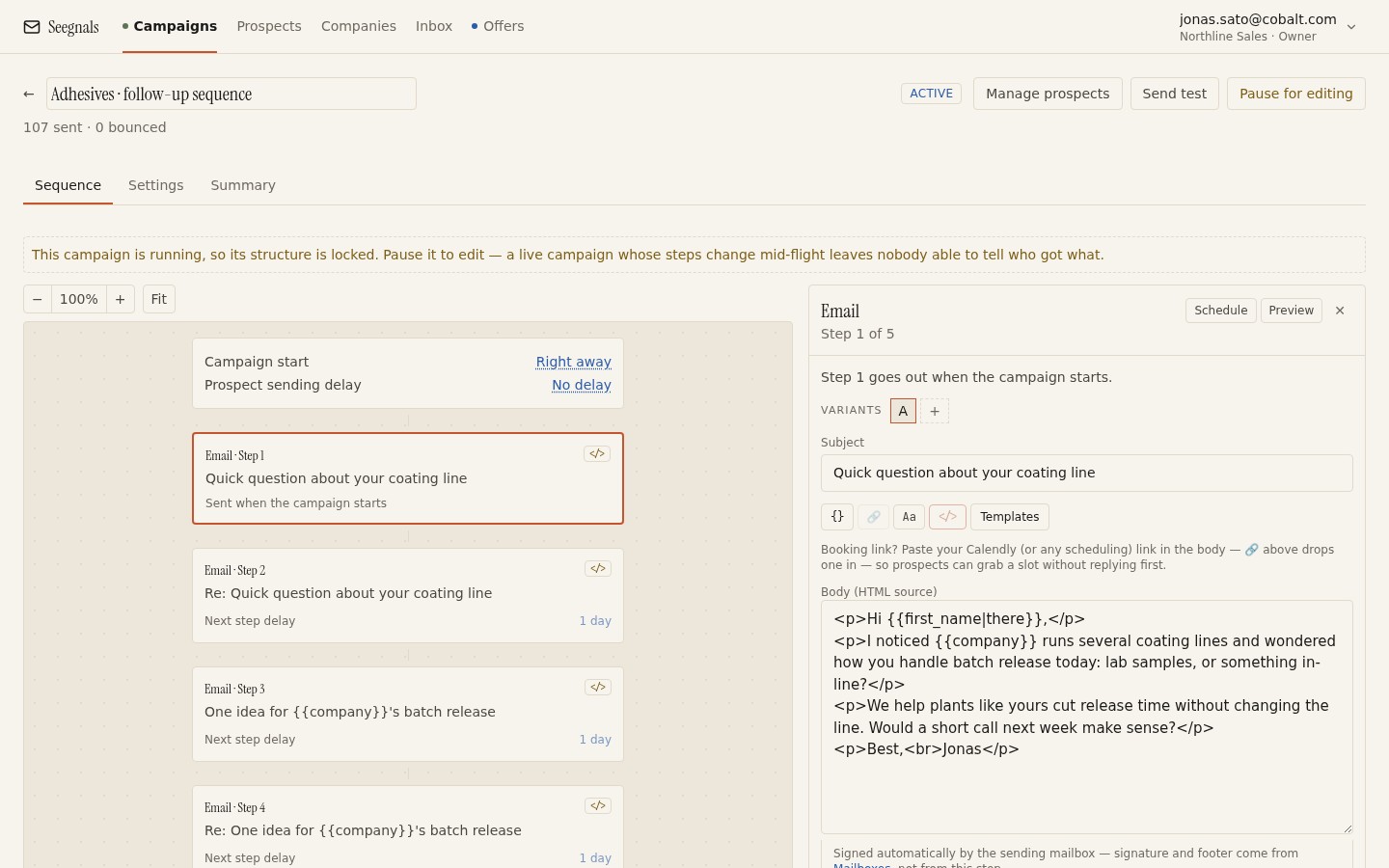 Every step here is a send that counts against the mailbox limit, so a four-step sequence needs four times the budget of a single message.
A reply helps here. When a prospect answers, the classifier stops the sequence for that person, so their remaining steps never send and never consume the budget. A campaign with a healthy reply rate finishes sooner than the arithmetic suggests, which is a pleasant surprise rather than a plan.
The signals that say you are too high
You will not get an email from a receiving server telling you to slow down. You have to read the indirect signs.
The first is bounces. A mailbox that suddenly produces more bounces than usual, on a list of the same quality, is often being rejected outright rather than delivered to spam. The bounce shield in Seegnals pauses a campaign when bounces cross a threshold you set, and that pause is a good moment to look at the daily limit before you look at the list. What counts as too many is discussed in what bounce rate is safe for cold email.
The second is replies going quiet. If the first week of a campaign produces conversations and the third week produces silence, and nothing changed in the copy or the list, the likeliest explanation is that messages stopped reaching inboxes. Opens are an unreliable guide here for reasons covered elsewhere, but replies are hard to fake.
The third is the deliverability tab. If SPF, DKIM or DMARC show a problem for your domain, no daily limit is low enough to compensate. Fix authentication first; the deliverability page walks through what each record does.
When you see any of these, lower the limit. Not to zero, since a mailbox that goes silent for weeks loses history too, but to a number that feels almost too small. Hold it there for a couple of weeks, watch bounces and replies, and raise it again only in small steps.
What to do this week
- Write down the daily limit currently set on each mailbox you use for cold email. If any of them is in the hundreds, cut it to a few dozen today.
- For every running campaign, do the sum: prospects multiplied by sequence steps, divided by the combined daily limit of its mailboxes. If the result is longer than you can live with, add a mailbox rather than raising a limit.
- Give every mailbox younger than two months a lower limit than the others, and put a reminder in your calendar to review it in a fortnight.
- Check that the bounce shield is switched on for every campaign, with a threshold you would actually want to be stopped at.
- Open the deliverability tab and confirm SPF, DKIM and DMARC pass for every sending domain. A limit only helps a domain that is already authenticated.