A campaign runs overnight and the next morning a bounce is sitting in the list with a reason that reads something like “550 5.1.1 The email account that you tried to reach does not exist.” The number means something specific, and you do not need to be an email engineer to read it. The short version: the first digit tells you whether the failure is permanent or temporary, and for cold email almost everything you will see falls into one of eight or nine codes worth actually knowing.
Codes starting with 5, such as 550, 551, 552, 553 and 554, are permanent. The address will not accept mail from you now or later without a change on their end or yours. Remove it. Codes starting with 4, such as 421, 450 and 451, are temporary. The server is saying “not now”, and the same message might go through cleanly an hour later. One of those is noise. The same address returning the same 4xx code for several days is not noise any more, and that distinction is where most of the confusion about bounces actually lives.
This article goes through where the number comes from, what each code you are likely to see actually means, how the extended code after it narrows things further, and what a bounce shield should count when it decides to pause a campaign.
Where the number comes from
SMTP reply codes are three digits, and the specification that defines them, RFC 5321, gives each digit a job. The first digit is the one that matters most: 2 means success, 4 means a temporary failure, 5 means a permanent failure. The second digit narrows the category, covering things like connections, the mail system itself, or delivery content. The third gives the specific detail within that category.
Most receiving servers also attach a longer, more readable code after the three-digit one, something like 5.1.1 or 4.2.2. That second scheme, the enhanced status code, is defined separately in RFC 3463 and is the part actually worth reading, because it says more precisely what went wrong than the three-digit code alone. A message that reads “550 5.1.1” and one that reads “550 5.7.1” are both permanent failures, and they mean two very different things, covered further down.
The codes you will actually see
Cold email produces a narrow set of codes in practice. These are the ones worth recognising on sight.
421. The server is not accepting connections right now, often because it is busy or because it has decided you are connecting too fast. Temporary. Retries usually succeed.
450 and 451. The mailbox exists but the message cannot be processed at this moment, for reasons ranging from a full mailbox to a temporary local error to greylisting, a deliberate delay some servers use to filter out senders who never retry. Temporary, and retrying is normal.
550. The most common permanent failure. Most often it means the mailbox does not exist. It can also mean the message was rejected outright for a policy reason, which is why the extended code matters here more than anywhere else.
551. The mailbox has moved. The server is telling you it will not relay the message to wherever the user went. Treat the address as dead until you have a new one.
552. The message could not be stored, usually because the mailbox is over quota or the message itself is too large. If it repeats for the same address over weeks, the mailbox is effectively abandoned.
553. The address you sent to is not in a form the server accepts, often a sign the address itself is malformed rather than a real target.
554. A generic permanent failure. In cold email this one is worth extra attention, because a receiving server sometimes uses 554 to say “we are not delivering mail from you” rather than “this specific address is wrong,” which again is a case where the enhanced code carries the real answer.
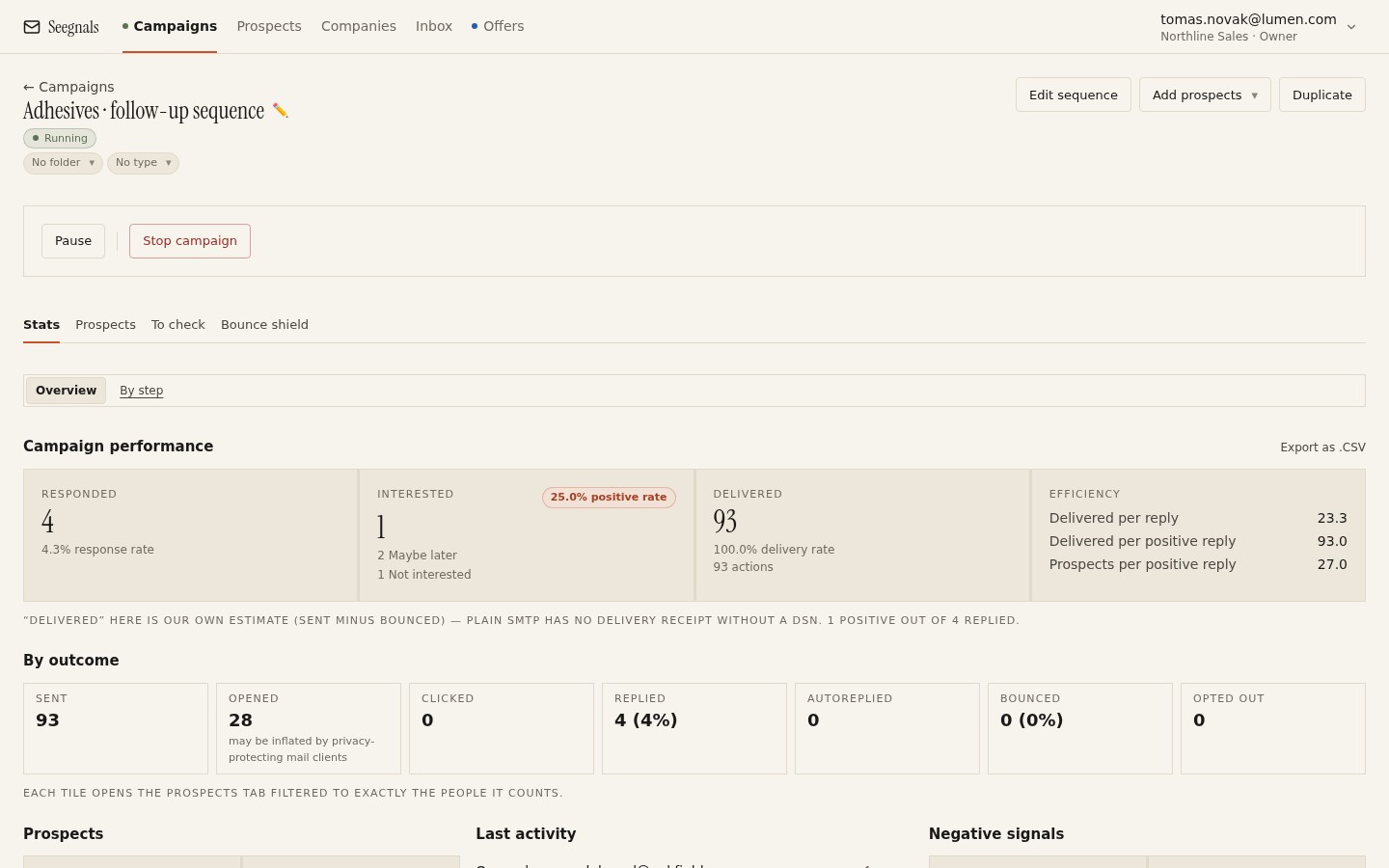 The Bounced tile opens the exact list of who bounced and why, so you read the actual code rather than a single aggregated percentage.
What the extended code adds
The enhanced status code takes the shape X.Y.Z. The first digit repeats the permanent-or-temporary distinction. The second and third narrow the category: 1.x is about the address, 2.x is about the mailbox, 7.x is about policy.
This is the detail that separates a list problem from a reputation problem. A code of 5.1.1 after a 550 means “bad destination mailbox address”: the address itself is wrong, and no amount of sending discipline fixes that. A code of 5.7.1 after the same 550 means “delivery not authorised”, which is policy language for being blocked, filtered, or refused for reasons that have nothing to do with whether the mailbox exists. Reading only the three-digit code and assuming every 550 is a bad address is the mistake that sends people chasing the wrong fix.
Turning a code into hard bounce or soft bounce
Once you know the first digit, the mapping is simple. Every 5xx code is a hard bounce: permanent, remove the address, do not retry. Every 4xx code is a soft bounce: temporary, and a single instance is not worth acting on.
The exception, and it is a common one in practice, is a 4xx code that will not go away. An address that returns 450 today, 450 tomorrow and 450 the day after is not experiencing a moment of server load. Something about that mailbox is not accepting your mail, and after a handful of repeats it deserves the same treatment as a hard bounce, whatever the technically correct label says. The list-quality work that prevents most of this from happening in the first place, verifying addresses and treating catch-all results as unknown before a campaign ever starts, is covered in the checklist to run before you import a list.
What the bounce shield should actually count
A bounce shield exists to pause a campaign before a bad pattern does real damage to your sending domain. What it should be counting is hard bounces, the 5xx codes, because those are the ones that tell receiving servers you are mailing addresses you did not check. A campaign that racks up a run of 421s because a receiving server was briefly overloaded has not done anything wrong, and a shield tuned to any rejection at all will pause it for no reason.
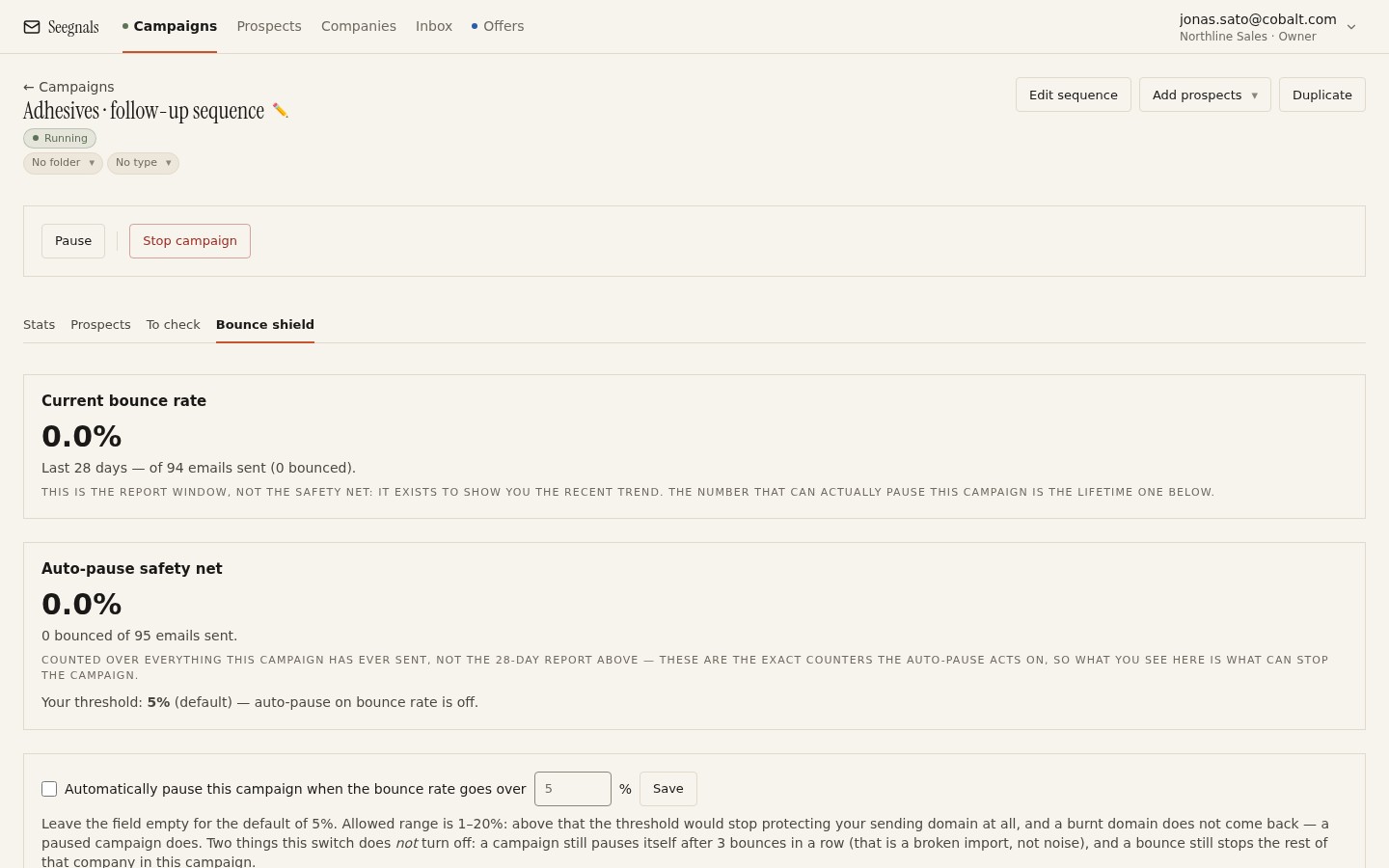 Set the threshold against permanent failures. A handful of 5xx codes deserves a pause; a handful of 4xx codes on their own usually does not.
In Seegnals, the bounce shield pauses a campaign once bounces cross a threshold you set and sends you a notification, and the Bounced tile in the campaign’s Stats view opens straight to the affected prospects so you can read the actual reasons rather than guess from a single number. That reading step is the one worth doing before you touch the threshold itself: a spike made of 5.1.1 codes calls for a different response than a spike made of 5.7.1 codes, and the general question of what bounce rate should worry you at all is covered in what bounce rate is safe for cold email.
When the code is not really about the address
A run of 554s or 550 5.7.1s pointing at different companies, different domains, addresses that verified cleanly on import, is not a list problem. It is a sign that the receiving side has started treating your sending domain or mailbox as suspicious, which is a reputation question rather than a data question.
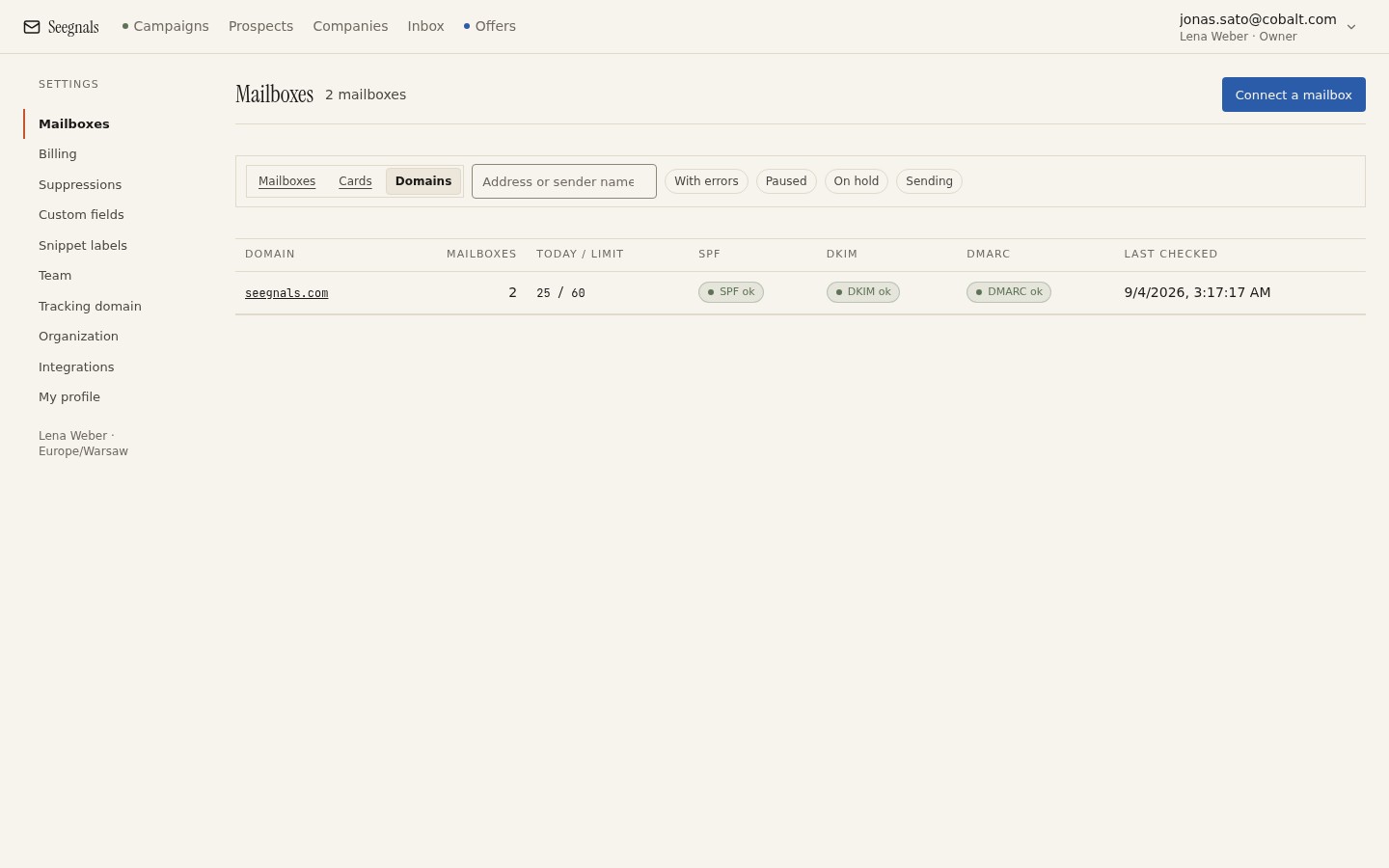 A policy-flavoured bounce code is worth checking against this tab before you touch the list at all.
The first place to look is authentication. A domain with a broken SPF, DKIM or DMARC record produces exactly this pattern of policy rejections, and fixing the record does more than any amount of list cleaning. The mechanics are covered in SPF, DKIM and DMARC for cold email senders, explained without jargon, and the deliverability page has the fuller checklist. If authentication passes and the codes keep arriving, the next lever is volume: lower the daily limit on the affected mailbox and let its reputation recover before pushing it again.
What to do this week
- Open the Bounced tile on your last two campaigns and read the actual reason text rather than the count alone. Sort what you find into 4xx and 5xx.
- For every 5xx bounce, confirm the address has been removed and will not be re-imported from an older export without re-verification.
- If any bounce reads 550 5.7.1, 554, or another policy-flavoured code, check the deliverability tab for SPF, DKIM and DMARC before assuming the list is at fault.
- Check what your bounce shield threshold actually counts. If it treats every rejection the same way, tighten it to react to permanent failures and give temporary ones a few days before acting.
- Note any address that has returned the same 4xx code more than twice in a week, and treat it as a hard bounce even though the code says otherwise.