“Hi {{first_name}},” followed by a blank, or by “Hi ,” is the personalisation failure everyone has received. The less visible failure is worse: an email that fills every field correctly and still reads like it was sent to four hundred people, because the fields carried nothing the reader would recognise as being about them.
Personalisation in cold email means one thing: the prospect can tell the email was meant for them specifically. Snippets and custom fields are the plumbing that makes this possible at the scale of a campaign. The plumbing only works if the data is there, the fallbacks are written, and the emails with gaps are stopped before they leave.
This article covers how to choose what to personalise, how to build custom fields from a CSV, how to write fallbacks, and how to check the result before a campaign starts.
What personalisation is for
A cold email competes with a full inbox for a few seconds of attention. Personalisation buys those seconds by signalling that a person looked at this company before writing. Once the signal is sent, its job is done; the rest of the email has to earn the reply on its own.
That leads to two rules. First, the personalised element should be something the prospect would recognise as specific: their product line, a recent hire, a location, a supplier they use, a document they published. First name and company name are not personalisation; they are addressing. Second, the personalised element should be short. One sentence is enough. A whole email rewritten per prospect does not scale, and a whole email of merged fields reads as exactly that.
Snippets, fields and where the data comes from
A snippet is a placeholder in the template, written as {{field_name}}. When the email is sent, the placeholder is replaced with the value from that prospect’s record. Standard fields (first name, last name, company, email) exist in every tool. Custom fields are the ones you define, and they are where personalisation actually happens.
In Seegnals, custom fields come from CSV columns. When you import a list, you map each column to a field, standard or custom, and from then on {{that_field}} is available in any sequence. The prospect record is the source of truth; the template is just a pattern.
Two practical consequences follow.
Design the fields before the copy. Decide what you can research or export for every row in the list, name those columns, fill them, and then write the sequence around them. Writing copy first and hoping the data will turn up produces empty fields.
Name fields for what they contain. A field called hook_line tells you nothing in six months. A field called product_line or plant_location does. Seegnals lets you rename a custom field later and every sequence that uses it follows, so a bad name is fixable, but a clear name from the start saves a step.
The mechanics of column mapping are covered in importing prospects from CSV with custom fields.
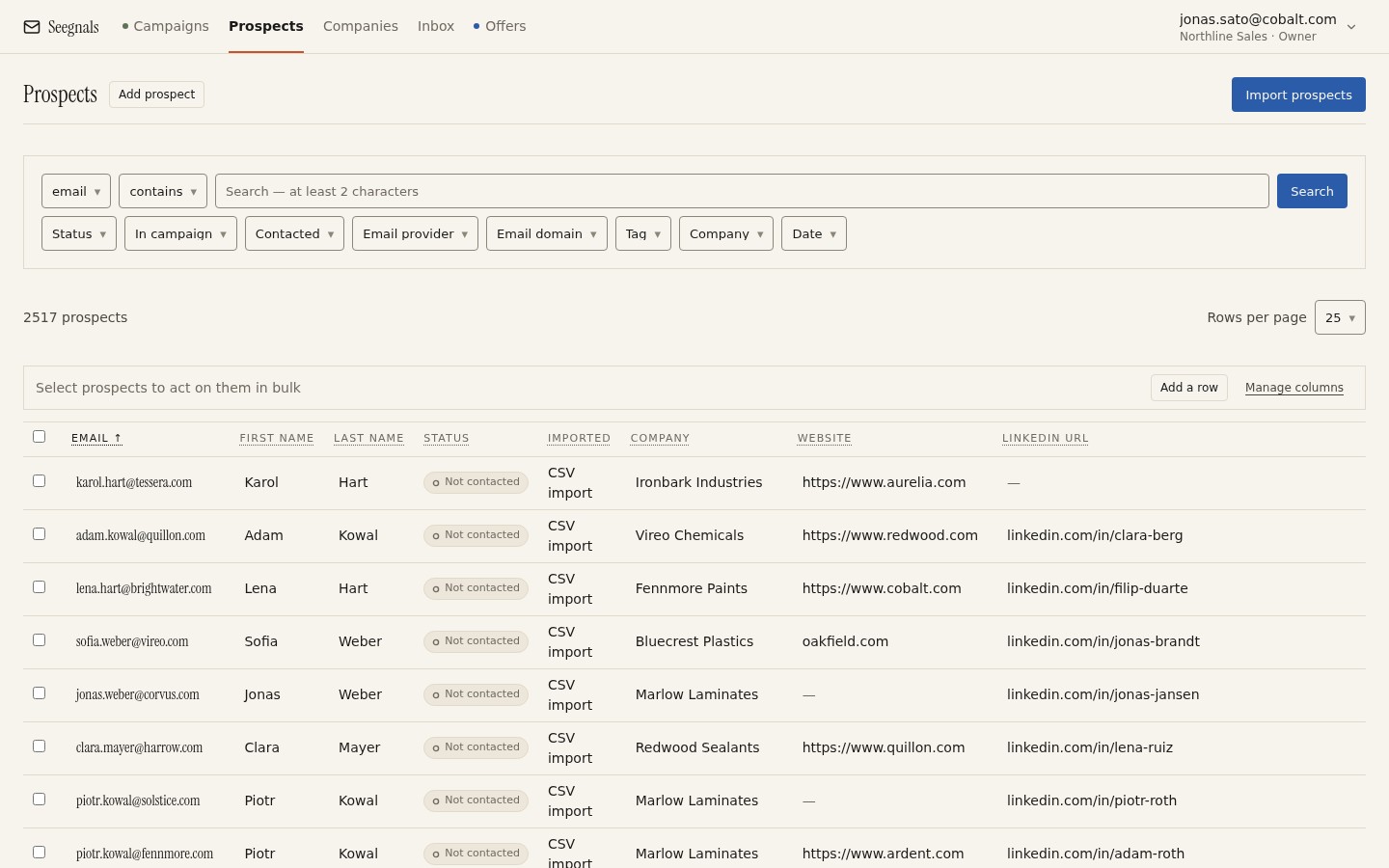 Custom fields appear as columns in the prospects table. Filter on an empty column before you launch to see how many people would receive a gap.
Fallbacks: what happens when the field is empty
Every snippet must have an answer to the question “what if this is blank for this person”. There are three possible behaviours, and only two are acceptable.
A fallback value is used. {{first_name|there}} becomes “there” when the name is missing. This works for greetings and for low-stakes fields. It does not work for a field that carries the personalised observation, because “I noticed that your company .” is not rescued by any single word.
The prospect is held back. The email is not sent; the prospect waits in a queue until someone fills the field or decides to skip them. This is the right behaviour for the field that carries your specific observation.
The email goes out with a gap. Never acceptable, and the default in more tools than you would expect.
Seegnals uses the first two. Snippets take a fallback, and prospects whose record is missing a field a snippet needs are placed in the To check queue before the first send, alongside people with unverifiable addresses, suspicious domains or duplicate entries. You fix the record or skip the person. The To check queue has its own article.
Write fallbacks as full phrases where the sentence needs them. “{{plant_location|your site}}” reads better than “{{plant_location|there}}” in “the line at {{plant_location}}”. Read every sentence twice: once with the field filled, once with the fallback.
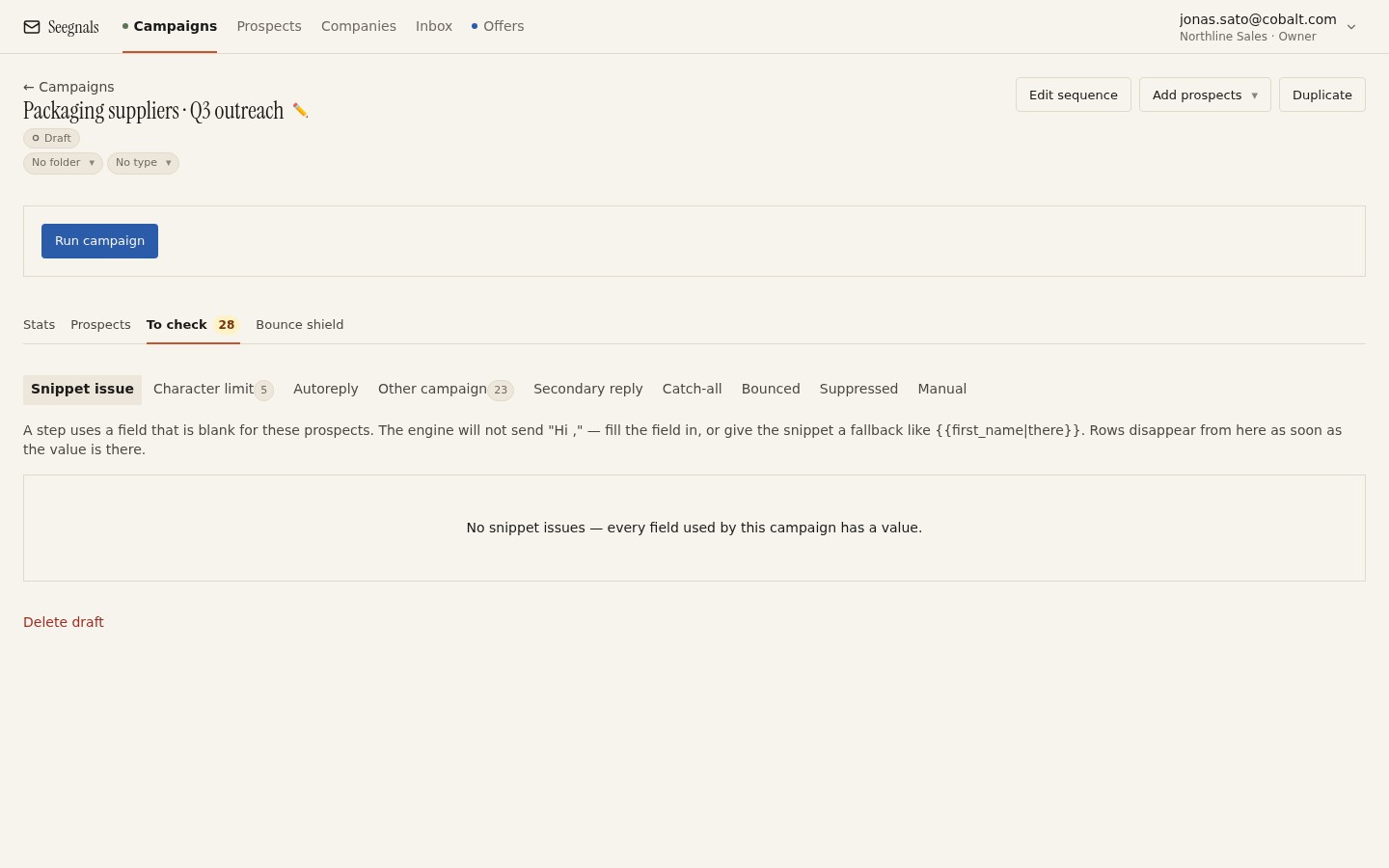 Prospects missing a field the sequence needs wait here instead of receiving an email with a hole in it. Clear the queue before you press start.
Building a personalisation field that carries weight
The hard part is not the snippet; it is filling the column with something worth saying. Some sources that work for small teams:
- Company website, one fact. The product family, the markets they list, a certification, a location. Write it as a short noun phrase: “the coating line in Ulm”, “your EN 1090 certification”.
- Public documents. An annual report, a press release, a job advert. A job advert for a role your product would help is a strong, checkable observation.
- Lead source exports. Tools like Apollo, Lusha or FullEnrich export headcount, industry and technology fields. These are weaker as personalisation because they are visibly automated, but they are useful as conditions for choosing which template a segment receives.
- Your own CRM. Previous contact, a trade show conversation, a downloaded document. If it is in Pipedrive or HubSpot, it can be exported into a column.
Whatever the source, the observation must be true and checkable by the reader. A vague field (“your growth in recent years”) is worse than none, because it signals automation while pretending not to.
Fill the field for every row, or for a defined segment you can filter. A column that is complete for a hundred rows and empty for three hundred should become two campaigns: one with the personalised opener, one without.
Keep the rest of the email fixed
Personalisation is a variable, and you want to know whether it earns its keep. The way to find out is to keep the rest of the email identical across a campaign and only vary the personalised sentence, or to run one segment with the personalised opener against a similar segment with a plain one. That is an A/B test in all but name, and the rules in A/B testing subject lines and variants apply: one variable, same window, judge on interested replies, repeat before deciding.
It also protects you from the usual drift, where each new campaign adds another merged field until the email is a form letter with twelve blanks.
Personalising at the company level
Many teams contact more than one person at a company. The observation about the company is the same for all of them; what differs is the role. This suggests a split: company-level fields (product line, location, recent news) shared across everyone at the same domain, and one role-level phrase per person.
Seegnals groups prospects into companies by email domain, and the company card shows every person you are contacting there with one shared timeline. When you export or prepare a list, keep the company-level column identical for everyone at the domain; it saves research time and prevents two colleagues receiving two different “observations” about the same firm. The account-based view explains why the company is the right unit for this.
Pre-flight checks before launch
Before a personalised campaign starts, run through this list.
- Filter the prospects table on each custom field the sequence uses and note how many rows are empty. Decide: fill, fallback, or split into a separate campaign.
- Read each step with the fields filled, then with every fallback in place. Both versions must read as sentences a person would write.
- Send a test to yourself with a real record, and read it on a phone.
- Open the To check queue and clear it. Anyone held back for a missing field is a decision you have to make.
- Confirm that the field names in the sequence match the field names in the import. A renamed field follows automatically; a mistyped one does not.
What to do this week
- List the custom fields your current sequence uses. For each, count the empty rows in the prospects table. Cut or fill any field that is empty for most of the list.
- Rewrite every snippet’s fallback as a phrase that reads correctly inside its sentence, and read the step both ways.
- Pick one company-level observation you can research in under two minutes per company and add it as a single new column for your next list.
- Run the next campaign with the personalised opener on one segment and a plain opener on a comparable one, and compare interested replies.
- Make clearing the To check queue the last step of your launch checklist, every time.