The campaign is written, the mailboxes are warm, and the bounce shield pauses everything on the second morning. The sequence did not fail; the spreadsheet did. Somewhere between the export and the import, nobody asked whether the addresses were real, whether half of them were already on the suppression list, or whether three people from the same company were about to receive the same opener.
List quality is the part of cold email that decides most outcomes before the first send. It is also the part that gets the least attention, because it is unglamorous and because import screens are designed to be quick. The checklist below is meant to be run on every list, every time, before it gets anywhere near a campaign.
It covers the columns a list needs, verification and what to do with unknowns, duplicates, suppression, segment fit, and how to record where the list came from.
Start with the shape of the file
Before anything else, open the CSV and check the columns. A list ready for a personalised sequence needs, at minimum:
- Email. One per row, lower case, no spaces. Trim anything that is not an address.
- First name and last name. Separate columns. A single “Name” column will need splitting, and titles (“Dr”, “Ing.”) should be stripped or moved to their own field.
- Company. The name as the prospect would write it, without the legal suffix.
- Country, or timezone. Needed so the campaign can send in the prospect’s local time. Country is enough for most European lists.
- Any custom field a snippet will use. Product line, location, the specific observation. One column per field, named for what it contains.
- Source and date. Where the list came from and when it was exported. Two columns that cost nothing now and save an argument later.
Check encoding (accented names turned into question marks are a sign the file was saved wrong), and check that the header row matches the data row underneath it. A shifted column puts company names in the email field, and no verification step will catch that gracefully.
Verify every address, and respect the unknowns
Address verification asks the receiving mail server whether a mailbox exists, without sending an email. The outcome for each address is one of three things.
Valid. The server confirmed the mailbox. Send.
Invalid. The server said the mailbox does not exist. Remove. Every invalid address you send to is a hard bounce, and bounces are what damage a sending domain. The piece on what bounce rate is safe explains the mechanics.
Unknown. The server would not say. The usual cause is a catch-all domain, which accepts mail for any address so that verification cannot distinguish a real mailbox from a made-up one. Some servers also refuse verification requests outright.
The unknowns are where judgement comes in. An unknown is not a valid address, and a tool that reports catch-all as “valid” is lying to you. Seegnals runs verification on import, including catch-all detection, and reports catch-all results as unknown. What you do with them is a decision: send to them in a separate, smaller campaign with a tight bounce threshold; hold them until you can confirm the person another way; or drop them. There is a longer discussion in catch-all domains and email verification.
Whatever you choose, choose before import, and apply the rule to the whole list. Do not let unknowns ride along with valid addresses in one campaign; if they bounce, the shield pauses the campaign for everyone.
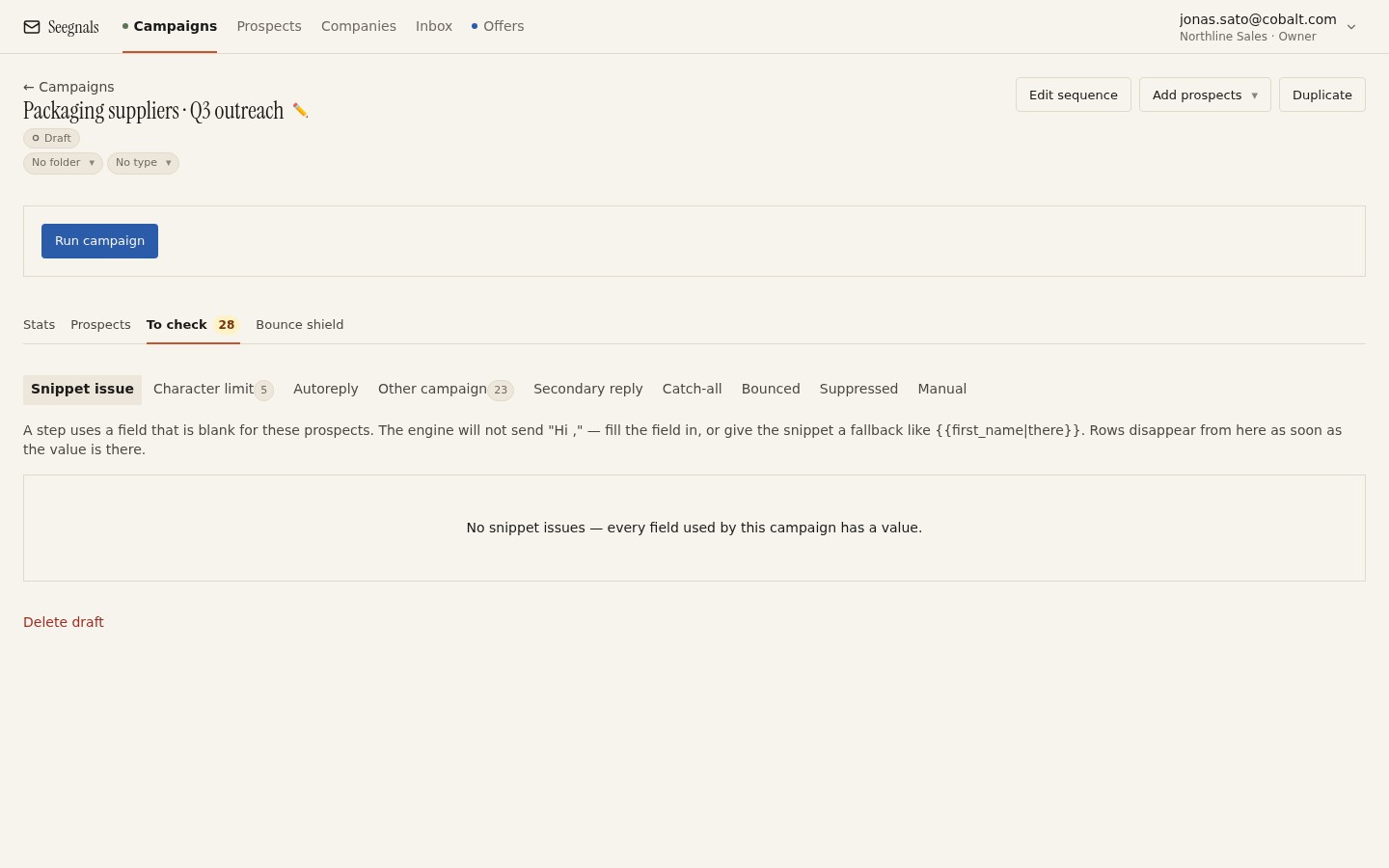 Unverifiable addresses, suspicious domains, duplicates and missing fields all land in the To check queue before a campaign starts. Empty it deliberately.
Remove duplicates, twice
There are two kinds of duplicate, and most people only check for one.
Same email address. The obvious one. Two rows, one person, two openers. Deduplicate on the lower-cased email field. Widen the check to the prospects already in your workspace. Someone you contacted in March should not be re-imported in August as a new lead without a decision.
Same company. Less obvious, and more damaging. Six people at one company, each in the same campaign, each receiving the same opener in the same week. They compare notes. The email that read as personal reads as a mail-out. This is not something a spreadsheet filter fixes; it is a decision about how many people to contact in one company and in what order.
Seegnals groups every prospect into a company by email domain and catches duplicate addresses and already-suppressed addresses at import, so the first kind is handled. The second kind is yours to decide. Sort the list by domain before import, look at the clusters, and either thin them or plan a sequence that acknowledges the colleagues.
Screen against the suppression list
Your suppression list is everyone who asked not to hear from you, everyone who bounced, and every domain you have decided not to contact (existing customers, competitors, partners, your own company). A new list must be checked against it before import, by address and by domain.
The domain check matters more than it looks. An unsubscribe request from one person is a signal about that person; a decision to suppress a whole domain (a customer’s company, say) has to hold for every new address at that domain that turns up in a future export. Suppression by domain is what makes that stick.
Seegnals holds a suppression list by address and by domain, with CSV export, and catches suppressed addresses on import. The article on suppression lists by address and by domain covers how to build and maintain one. The checklist item here is simply: run the check, and make sure domain-level entries are in it before the import.
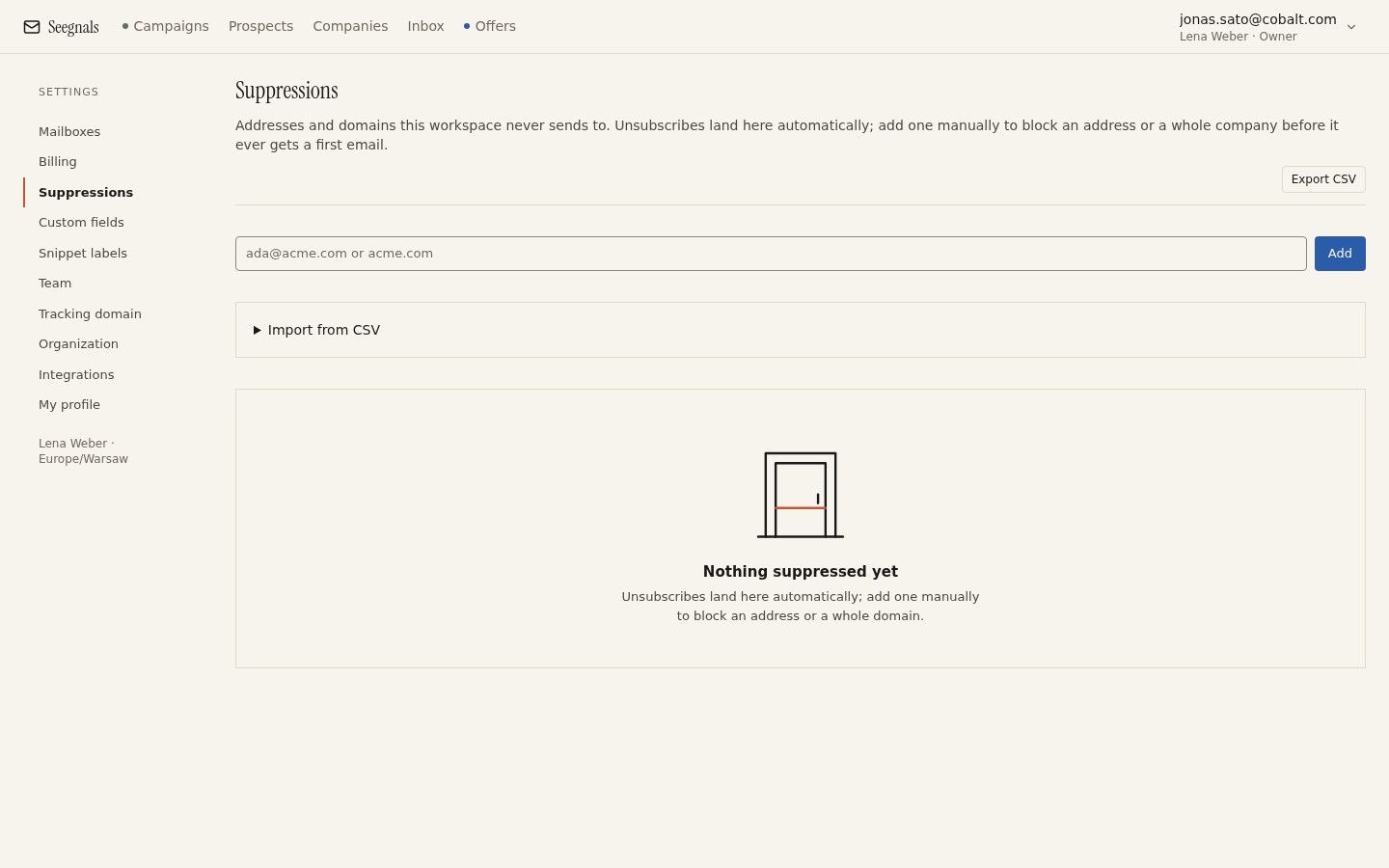 Domain-level entries protect you from re-importing a customer’s colleagues under new addresses. Add them before the list arrives.
Check the personalisation columns
If the sequence uses a custom field, filter the list on that column and count the empty rows. Three outcomes are acceptable:
- Fill the empty rows before import.
- Write a fallback that reads correctly in the sentence, and accept that those rows get the fallback.
- Split the list into two campaigns: one with the personalised opener for rows that have the field, one with a plain opener for the rest.
The fourth outcome, importing and hoping, ends in the To check queue at best and in a “Hi , I noticed that .” at worst. The personalisation with snippets and custom fields article has the detail; the checklist item is a count of empty cells per column.
Remove what is not a person
A cold sequence addressed to a person should not go to addresses that are not people. Remove or set aside:
- Role addresses. info@, sales@, office@, contact@, hello@. Nobody in particular reads them, and a first-name snippet makes no sense.
- Personal webmail. A gmail.com or outlook.com address on a B2B list is either a very small business or a data error. Decide per segment.
- Your own domain and your customers’ domains. Should already be suppressed; check anyway.
- Obvious junk. test@, noreply@, addresses with typos in the domain (gmial.com), addresses with spaces.
Verification catches some of these. A quick sort on the local part (the bit before the @) catches the rest in a minute.
Confirm the list matches the segment
Read twenty random rows and ask whether each one is someone your sequence was written for. Lists drift: a filter for “operations managers in food manufacturing” quietly includes a facilities manager at a hospital and a procurement lead at a distributor. Twenty rows will show you whether the drift is a few percent or a third of the file.
If it is more than a few rows, tighten the export filter and re-export, or split the list and write a second sequence. Sending a sequence written for one role to another role is the most common reason a well-verified list produces “not interested” replies.
Record where it came from
Finally, before import, make sure the source and date columns are filled: the tool or database the list was exported from, the filter used, and the export date. In six months, when someone asks why a particular company was contacted or where an address came from, the answer should be in the prospect record rather than in someone’s memory. It also tells you when a list is old enough to re-verify before reuse.
This is also the minimum you need to answer a data subject who asks where you obtained their details, which comes up more often than teams expect and is covered in GDPR and cold email under legitimate interest.
What to do this week
- Take your next list and check the file shape: one email per row, separate name columns, country or timezone, one column per snippet field, source and date.
- Verify every address and decide a rule for unknowns before import. Apply it to the whole list.
- Sort by domain, look at the company clusters, and decide how many people per company you are contacting and in what order.
- Add any missing domain-level entries to your suppression list (customers, partners, competitors), then import and let the tool catch suppressed and duplicate addresses.
- Read twenty random rows against the sequence you wrote. If more than a few do not fit, split or re-export before you press start.