You have published SPF and DKIM, both pass, and now the DNS panel asks for a DMARC policy: p=none, p=quarantine or p=reject. It looks like a settings choice, but it is closer to a decision about which of your own messages you are willing to lose. p=none changes nothing about delivery. p=quarantine and p=reject change what happens to real mail from your domain the moment anything about it is misaligned, which is more often than most senders expect.
The short answer: publish p=none immediately, whatever else is unfinished. Read the reports it produces for a while. Move to p=quarantine only once those reports show every source you recognise passing. Move to p=reject only once quarantine has run clean. This article covers what each policy actually does, and the reporting habit that makes the move safe rather than a guess.
Three policies, one question answered differently
DMARC sits on top of SPF and DKIM. A receiving server checks both, decides whether the message aligns (the domain in the visible From address matches the domain SPF or DKIM authenticated), and then looks at your DMARC record to see what you asked it to do if alignment fails. The mechanics of SPF, DKIM and alignment are covered in full in SPF, DKIM and DMARC for cold email senders; this article assumes those pass and asks the next question, which is what to tell receivers to do when, one day, something does not.
p=none says: do nothing differently, just tell me about it. Failing mail is delivered exactly as it would have been without any DMARC record at all. p=quarantine says: treat failing mail as suspicious, which in practice means most receiving servers route it to spam. p=reject says: refuse it outright, before it reaches a mailbox at all. Each policy also carries a reporting address, and that address is where the useful information lives, whichever policy you choose.
p=none is not a placeholder, it is the instrument
It is tempting to treat p=none as a stepping stone you rush past. Do not. Publishing it is the only DMARC action that costs you nothing: no legitimate message is affected, because nothing is enforced. What it buys you is aggregate reports, sent daily by every major mailbox provider that receives mail claiming to be from your domain, listing the sending IP, whether SPF and DKIM passed, and whether the result aligned.
That list is often longer than senders expect. A CRM that still has an old integration sending on your behalf. A shared inbox with a forwarding rule set up two years ago. A marketing tool nobody remembers connecting. Every one of them shows up in the reports, passing or failing, and every one of them is a source that a stricter policy will act on. There is no way to see this list except by publishing p=none and reading what comes back.
What quarantine actually folds
Once you move to p=quarantine, every message that fails alignment starts landing in spam rather than the inbox, for your prospects and for your own colleagues alike. This is the point where the policy stops being passive. If the old CRM integration from the paragraph above is still sending invoices, those invoices now land in spam. If your own cold email tool signs with an intermediary domain instead of aligning with yours, as discussed in the earlier article, your campaign mail folds too, quietly, with delivery logs that still say “sent”.
The protection this buys is real: a message pretending to be your domain, sent by someone who does not control your SPF or DKIM, also fails alignment and also gets folded. But quarantine cannot tell the difference between an impersonator and your own misconfigured tool. It treats both the same way, because from the receiving server’s point of view they look identical: mail claiming your domain that did not pass the check you asked it to enforce.
What reject removes entirely
p=reject is the same logic taken one step further: failing mail is not delivered at all, not even to spam. For a domain that has been carefully monitored, this is the strongest protection available, and it closes the door on impersonation completely. For a domain nobody has watched, it is the fastest way to make your own mail vanish. There is no error message to the sender, no note in your outbox, nothing in the recipient’s spam folder to find later. The message is simply gone, and the only trace is a report you may not be reading.
This is the reason cold email teams get burned by DMARC more than ordinary offices do. A sales team accumulates sending tools faster than most departments: a sequencer, a proposal tool, a CRM sync, sometimes more than one of each as the team tries new things. Every one is a potential alignment failure, and p=reject acts on all of them without warning.
The monitoring loop
The habit that makes any of this safe is a report-reading routine, not a one-time check. Add a rua tag to your DMARC record pointing at an address you or someone on the team actually reads. The reports arrive as compressed XML, which nobody reads by hand; a free DMARC report reader parses them into a table of sending sources, volumes, and pass or fail counts per source.
Read that table on a schedule. Weekly while the domain is on p=none and you are deciding whether to move up. Every source you recognise should show a pass rate that looks complete, not partial: a source failing on nine messages out of ten and passing on the tenth usually means intermittent alignment, and intermittent is exactly what a stricter policy will punish unevenly. Anything you do not recognise is worth a few minutes to identify before you decide it is safe to ignore.
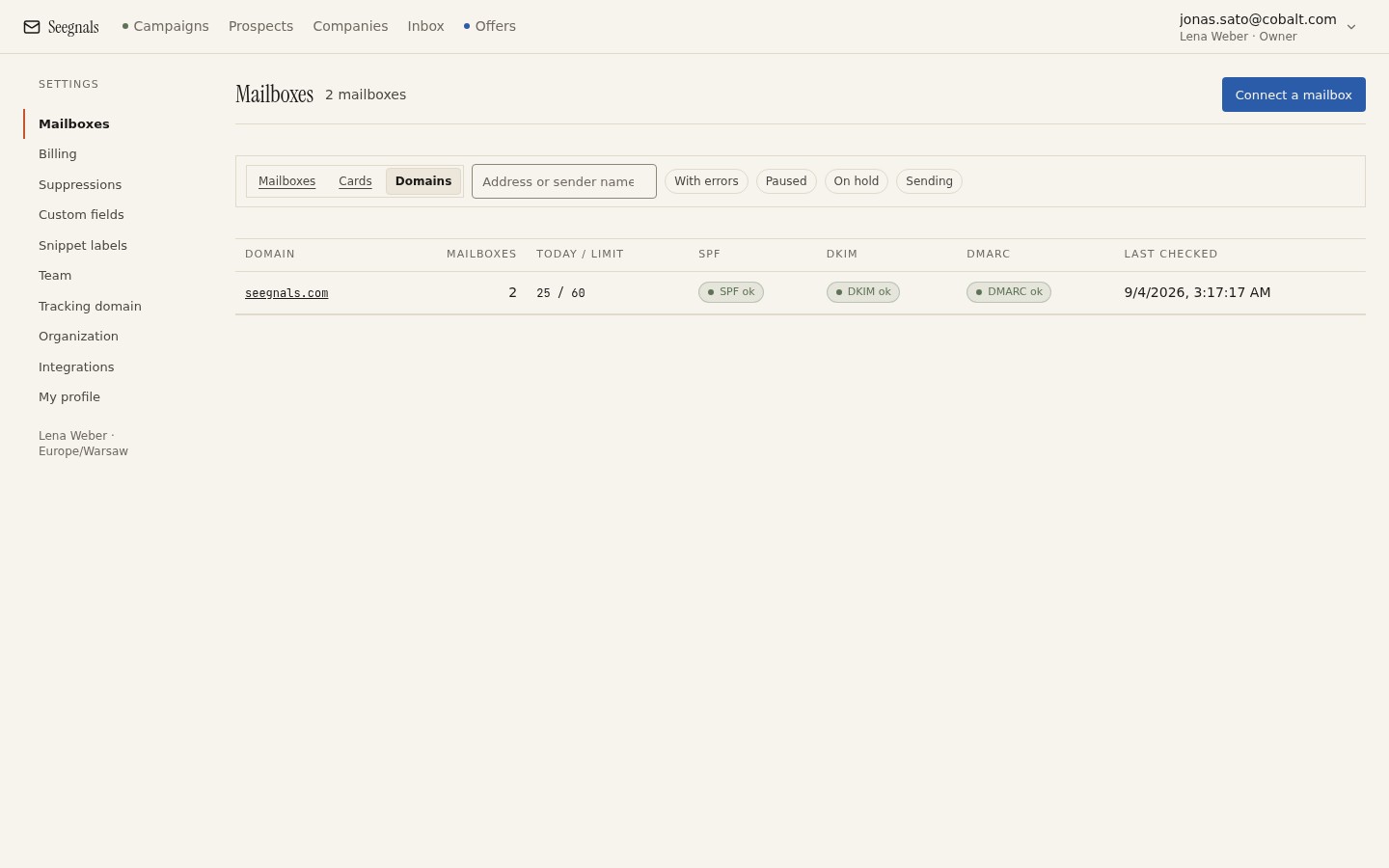 The hourly check confirms the records themselves are live and correctly published; the report reading habit is the separate step that tells you whether every sender using them actually passes.
The Deliverability tab in Seegnals checks that SPF, DKIM and DMARC exist and resolve correctly for each sending domain, once an hour, and shows “unknown” rather than a false “missing” when a lookup does not complete. That check confirms the records are alive. It does not replace reading the aggregate reports themselves, because the reports are the only place that shows every individual source sending as your domain and whether each one is passing, which is what the policy decision actually depends on.
Once quarantine has run for a stretch with nothing unexpected in the reports, the same read applies before moving to reject. The move is not a calendar date, it is a report that stops surprising you.
Moving up without losing mail
Before raising the policy a level, walk through what you actually use. List every tool that sends mail as your domain: the cold email platform, the CRM, any transactional service, shared mailboxes with forwarding rules, that one integration someone set up for a trial two quarters ago and never removed. Check each one against the current report. A source that is not on your list but appears in the reports is either a tool you forgot or someone else entirely, and either way it needs an answer before you tighten the policy around it.
This matters more on a domain used for cold email than for ordinary business mail, precisely because daily sending limits per mailbox and a separate sending domain already put outbound tools in a different category from everyday correspondence. Each additional tool connected for outbound is one more row that needs to appear clean in the DMARC reports before the policy on that domain goes any stricter. The deliverability page has the wider checklist this fits into.
What to do this week
- If your domain has no DMARC record, publish
p=nonewith a reporting address today. It changes nothing about delivery and starts the only process that shows you who sends as your domain. - Find or set up a free DMARC report reader and point it at the reporting address. Read the first batch of reports and list every source that appears.
- For each source, confirm whether it is a tool you recognise and whether it passes alignment. Chase down anything unfamiliar before deciding it is safe.
- Only move to
p=quarantineonce every recognised source passes consistently across more than one report. Repeat the same check before moving top=reject. - Add “check DMARC reports” to whatever recurring review already covers deliverability, so a new tool connected next quarter gets the same look before the policy is trusted to hold.