Someone asks how many mailboxes a campaign needs the way they would ask how many boxes it takes to move house, expecting one number that applies everywhere. There is no single number, but there is a short sum that produces the right one for a specific list and a specific deadline: prospects multiplied by sequence steps, divided by the number of sending days you want to allow, divided again by the daily limit you set per mailbox. Round the result up and that is the answer.
Most people who get this wrong start from the other end. They connect a mailbox or two because that is what they had lying around, launch the campaign, and only discover weeks later that it is either crawling through a list of thousands or burning through a smaller one so fast that nobody has time to read and answer the replies before the next batch lands. Running the sum first, before connecting anything, avoids both mistakes.
This article works through the numbers the sum needs, a worked example, how rotation turns several small mailbox limits into one shared daily capacity, and when the right move stops being another mailbox and becomes a second sending domain.
The four numbers behind the question
The sum only needs four inputs, and you already have three of them before you open a mailbox settings page.
List size is the number of prospects who will start the campaign, not the number you hope will still be there once duplicates and suppressed addresses are removed on import. Use the number after that filtering, since those are the sends that actually count.
Sequence steps is the number of messages a prospect who never replies receives across the whole sequence, including every follow-up. A reply-based stop is a saving you get later, not something to assume up front. The sequence editor in the product shows the steps and the delays between them, and the count you want here is simply how many boxes are in that sequence.
Sending days is how long you are willing to let the campaign run before it finishes its first pass through the list. This is not the same as calendar days if the campaign’s schedule only sends on weekdays, a setting covered in what a sending window is and why it matters; five sending days a week for six weeks is thirty sending days, not forty-two.
Daily limit per mailbox is the number you have deliberately set low, in the tens of messages, for the reasons covered in daily sending limits per mailbox. This is not the provider’s cap. It is your own number, and it is the one you should not touch to make the sum come out smaller.
Do the sum
Say you have a list of 800 prospects, a four-step sequence, mailboxes limited to 30 messages a day, and you want the first pass through the list finished inside thirty sending days.
If nobody replied at all, the sequence would produce 800 multiplied by 4, or 3,200 sends in total. Divide that by 30 sending days and you need roughly 107 sends a day to hit the deadline. Divide 107 by the 30-a-day limit on a single mailbox and you get 3.6, which rounds up to four mailboxes.
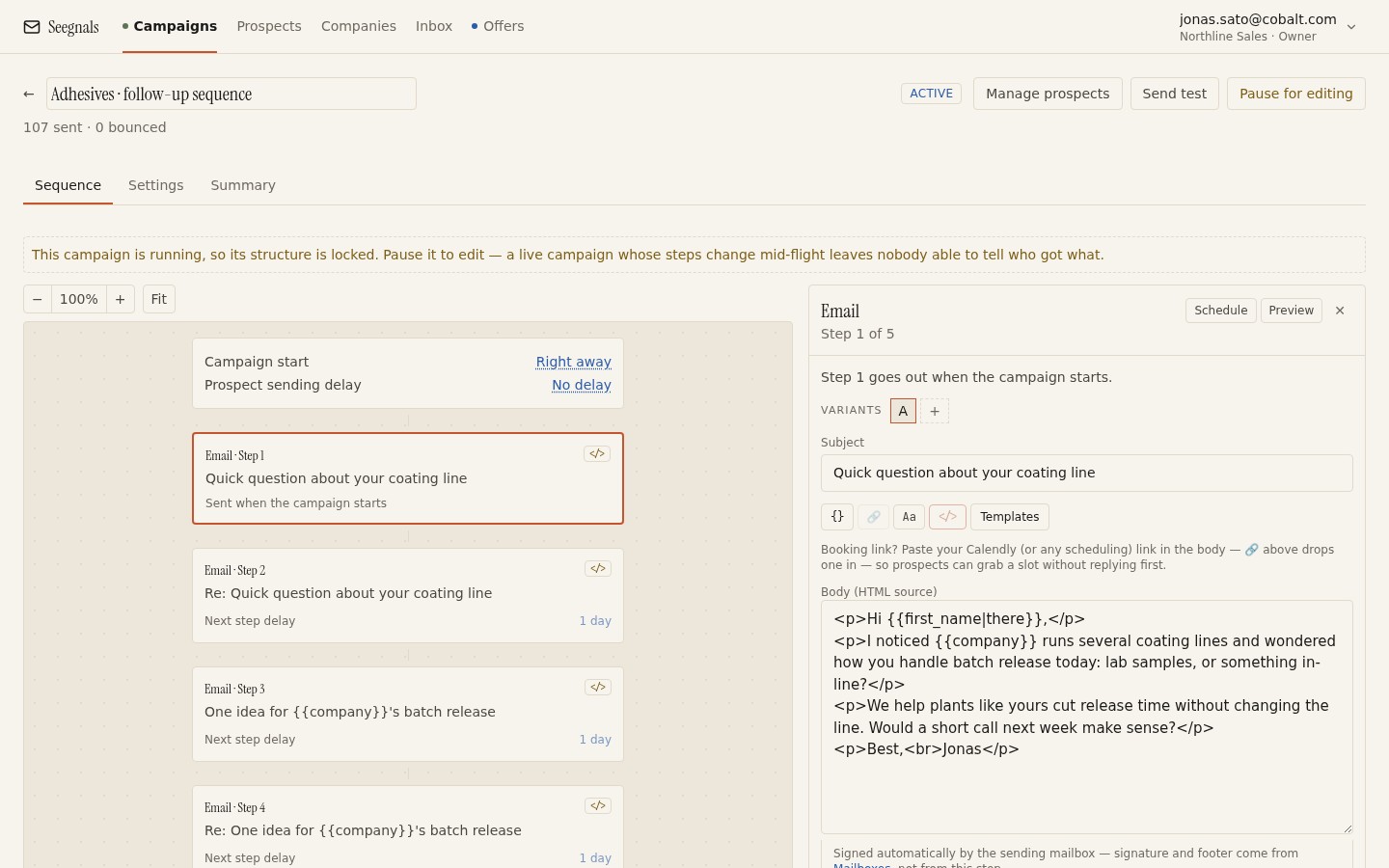 Each step here is a send that counts in the sum; a four-step sequence needs four times the daily capacity of a single message.
Four mailboxes at 30 a day give you 120 a day of capacity, comfortably above the 107 the deadline requires, with room to spare for the mailbox that inevitably has a quieter day. That spare room matters more than it looks: replies stop the remaining steps for the prospects who answer, so a campaign that gets any replies at all finishes with fewer total sends than the worst case the sum assumed. The sum should always use the worst case, the one where nobody replies, because that is the only scenario where the campaign could actually run out of days. Anything better than that is a pleasant surprise, not something to plan around.
Two mailboxes instead of four would give you 60 a day, and the same 3,200 sends would take more than fifty sending days, not thirty. The temptation at that point is to raise the limit on the two mailboxes instead of adding a third and fourth. Resist it. A mailbox suddenly sending more than its history supports is exactly the pattern that gets a domain treated as a bulk sender, for reasons that have nothing to do with the deadline you set yourself.
Rotation turns mailboxes into one shared capacity
Once you know you need four mailboxes, connecting them to one campaign and letting it rotate across them is what actually delivers the 120-a-day capacity the sum promised. Each new prospect goes to the next mailbox in the order you picked, each mailbox sends up to its own limit, and the campaign’s daily capacity is simply the sum of the limits you connected.
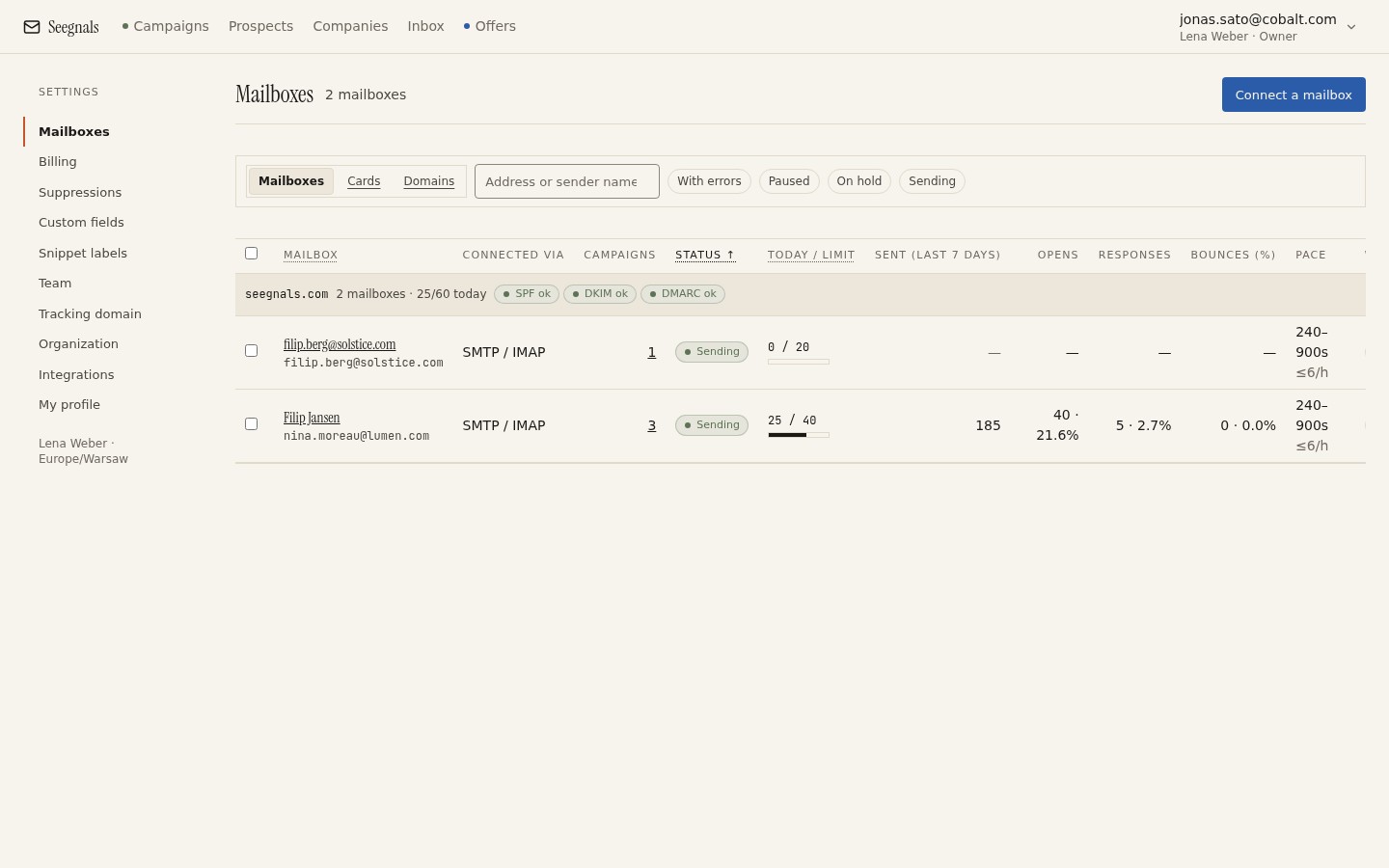 Add up the daily limit shown for each connected mailbox and you have the campaign’s real daily capacity, the number the sum in the previous section depends on.
The order matters at the margins. The mailbox listed first tends to fill first each day, so if one of the four is newer or more valuable to you than the others, put it last rather than first. The full mechanics, including why a prospect stays with the same mailbox for every follow-up rather than moving between them, are in mailbox rotation explained. For the purposes of the sum, the only thing you need from rotation is that it makes the total capacity real: without it, four separately-limited mailboxes sending to the same list by hand would need someone deciding by hand which prospect goes where, and the 120-a-day figure would only ever be theoretical.
When to add a second domain instead of another mailbox
Four mailboxes on one domain is a normal outcome of the sum above, and there is nothing wrong with all four sharing your main sending domain. But the domain itself carries a single reputation, shared across every mailbox on it, and that reputation is what the SPF, DKIM and DMARC records protect. As the sum pushes the mailbox count higher, either because the list keeps growing or the deadline keeps shrinking, more of your outbound risk concentrates on that one domain.
There is a point, different for every team, where the honest answer is a second domain rather than a seventh or eighth mailbox on the first one. A second domain needs its own SPF, DKIM and DMARC set up and monitored, and its own mailboxes start again with no sending history, which is real ongoing work. What it buys in return is that a problem on one domain, a spike in bounces or a spam complaint pattern, no longer touches the other. Whether your main domain should carry cold email at all, or whether a dedicated domain should carry it from the first mailbox, is worked through in should you send cold email from your main domain.
A reasonable rule of thumb: keep adding mailboxes to the domain you already authenticate and monitor until the sum asks for more than you would be comfortable seeing fail together. Past that, the next mailbox goes on a domain of its own.
A new mailbox needs a lower number, not a bigger one
The sum assumes every mailbox sends at its stated daily limit, and that assumption quietly breaks the moment you add a mailbox to hit the total. A mailbox with no sending history is not ready to carry 30 a day from its first morning; it needs to start lower and earn its way up over a few weeks, exactly as described in the daily limits article linked above. Seegnals does not include automatic warm-up yet, so that ramp is something you set by hand, starting the new mailbox’s limit well below the others and raising it in small steps.
Two consequences follow for the sum. First, if you are adding a mailbox specifically to make a deadline, count it at its starting limit for the first few weeks, not the limit you expect it to reach, or the deadline will slip in exactly the way the sum was meant to prevent. Second, build new mailboxes into the rotation ahead of a deadline rather than at the last moment, so their ramp-up period overlaps with time you already had spare rather than time you needed.
What to do this week
- Take one running or planned campaign and write down its real numbers: prospects after import filtering, steps in the sequence, the deadline you actually want, and the daily limit set on each connected mailbox.
- Run the sum: prospects times steps, divided by sending days, divided by the daily limit per mailbox. Compare the result with the mailboxes you currently have connected.
- If the sum asks for more mailboxes than you have, decide whether the next one belongs on your current domain or on a second one, based on how much you are already asking that domain to carry.
- For any mailbox younger than two months, check that its limit is set below the others, and count it at that lower number rather than its eventual target when you redo the sum.
- Confirm SPF, DKIM and DMARC pass on the deliverability tab for every domain in the rotation before you add another mailbox to it.