Ask “what hours should my cold email send in” and most answers jump straight to a magic hour, Tuesday at 10am or similar. That question is really two questions wearing one coat. One is about timing: when is a campaign allowed to send at all. The other is about volume: how many messages a mailbox may send in a day. A sending window answers the first. It has nothing to do with the second, and mixing them up is where a lot of campaign setups go wrong.
A sending window is the range of weekdays and hours during which a campaign is permitted to send. Set it Monday to Friday, 8am to 6pm, and nothing leaves outside that range, whatever else is true about the mailbox or the list. It is a gate on timing, not a promise about quality or a guess about the one best hour to catch someone at their desk.
The rest of this article covers what the window actually configures, why it is read in the prospect’s own time rather than yours, and why the number that limits how much a mailbox sends lives somewhere else entirely: on the mailbox, not on the window.
What the window configures, in practice
A campaign carries one setting for weekdays and one for hours, for example Tuesday to Thursday, 9am to 5pm. Every step in the sequence, from the first email to the last follow-up, is only allowed to send inside that range. The sequence editor shows the steps and the delays between them, and the window sits alongside those delays as the other half of the same schedule: a delay says how long to wait after the previous step, and the window says which hours that wait is allowed to end in.
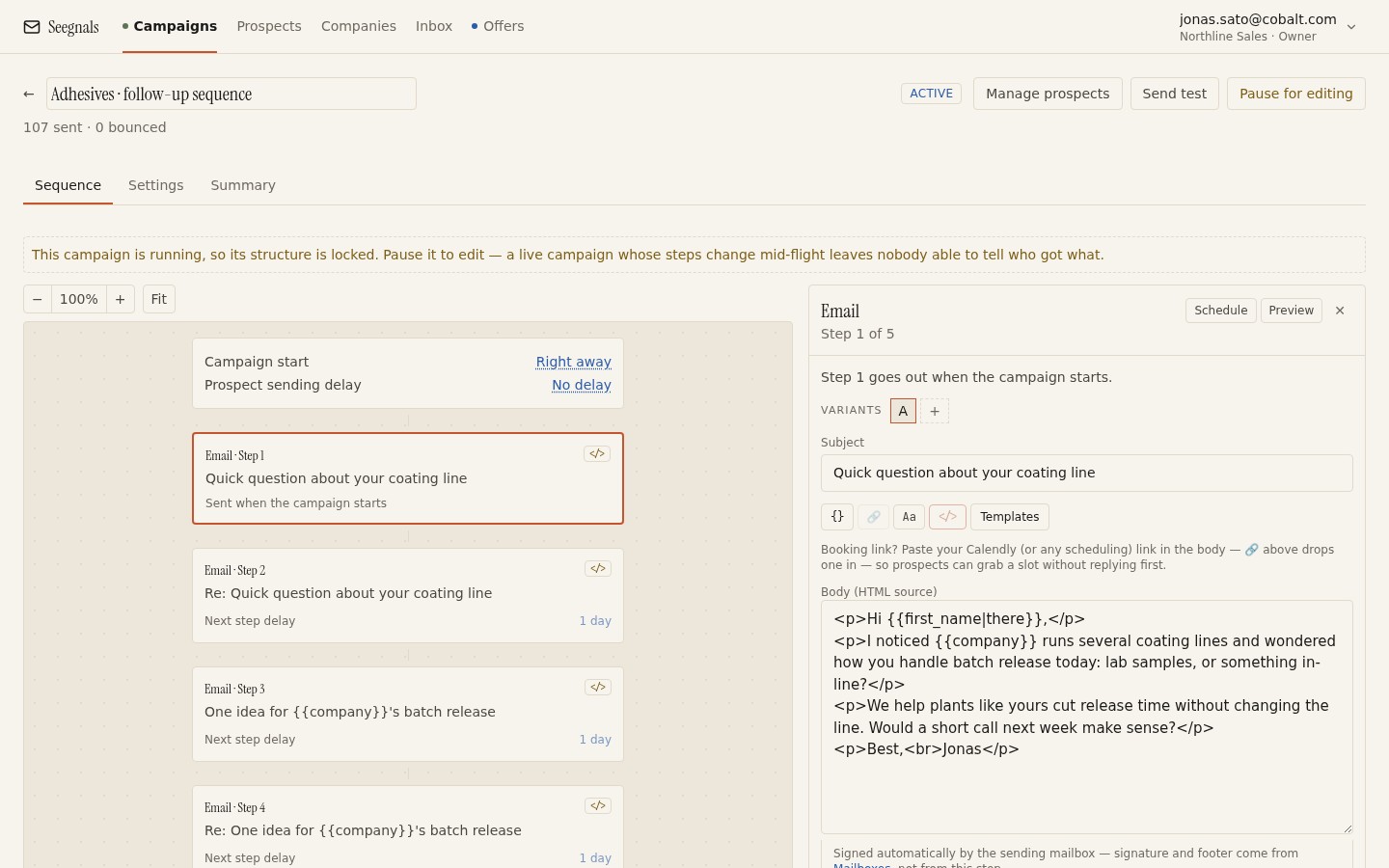 Delays decide the gap between steps; the sending window decides which hours a step is allowed to land in once that gap has passed.
Inside the window, gaps between individual messages are randomised rather than fixed, so a mailbox does not fire on a metronome. If a step becomes due outside the window, for instance overnight or on a weekend, it simply waits. The campaign is not paused and nothing is lost, the message goes out at the next point the window is open, and the rest of the sequence carries on from there.
Applied in the prospect’s time, not yours
The weekdays and hours you set are read in each prospect’s own timezone, and fall back to your workspace timezone when a prospect’s is unknown. That single design choice is why the window matters more than a fixed send time ever could. A window set 9am to 5pm in your own timezone would send some prospects a message at 3am their time and call it business hours, because it never looked past your own clock.
Why the recipient’s local time is the part worth getting right, and why chasing a single best hour inside that window is folklore, is covered in full in is there a best time to send cold email. This article does not repeat that case. The short version is that a wide window, applied per prospect, does the job a narrow window aimed at one supposed peak hour cannot.
Why the daily limit lives on the mailbox, not the window
Here is the part that trips people up. A campaign has a window. A mailbox has a limit. Those are two different objects, and it is worth being precise about why they are not merged into one setting on the campaign.
A single mailbox is very often attached to more than one campaign. Say Anna’s mailbox is sending for a DACH campaign this month and picks up a second campaign for a new segment next month. If the daily limit lived on the campaign, each campaign would set its own number with no idea what the other was asking of the same mailbox, and together they could push Anna’s address well past what is safe for it to send in a day. Receiving servers do not know or care how many campaigns you are running. They only see one mailbox sending a certain volume.
Putting the limit on the mailbox closes that gap. Whatever combination of campaigns uses Anna’s address, the total she sends in a day cannot exceed the number set on her mailbox. The window, meanwhile, stays where it makes sense: on the campaign, because timing is a property of the message and the audience, not of the address it happens to leave from. How to choose that per-mailbox number in the first place, and why it should sit in the tens rather than the hundreds, is covered in cold email daily sending limits per mailbox.
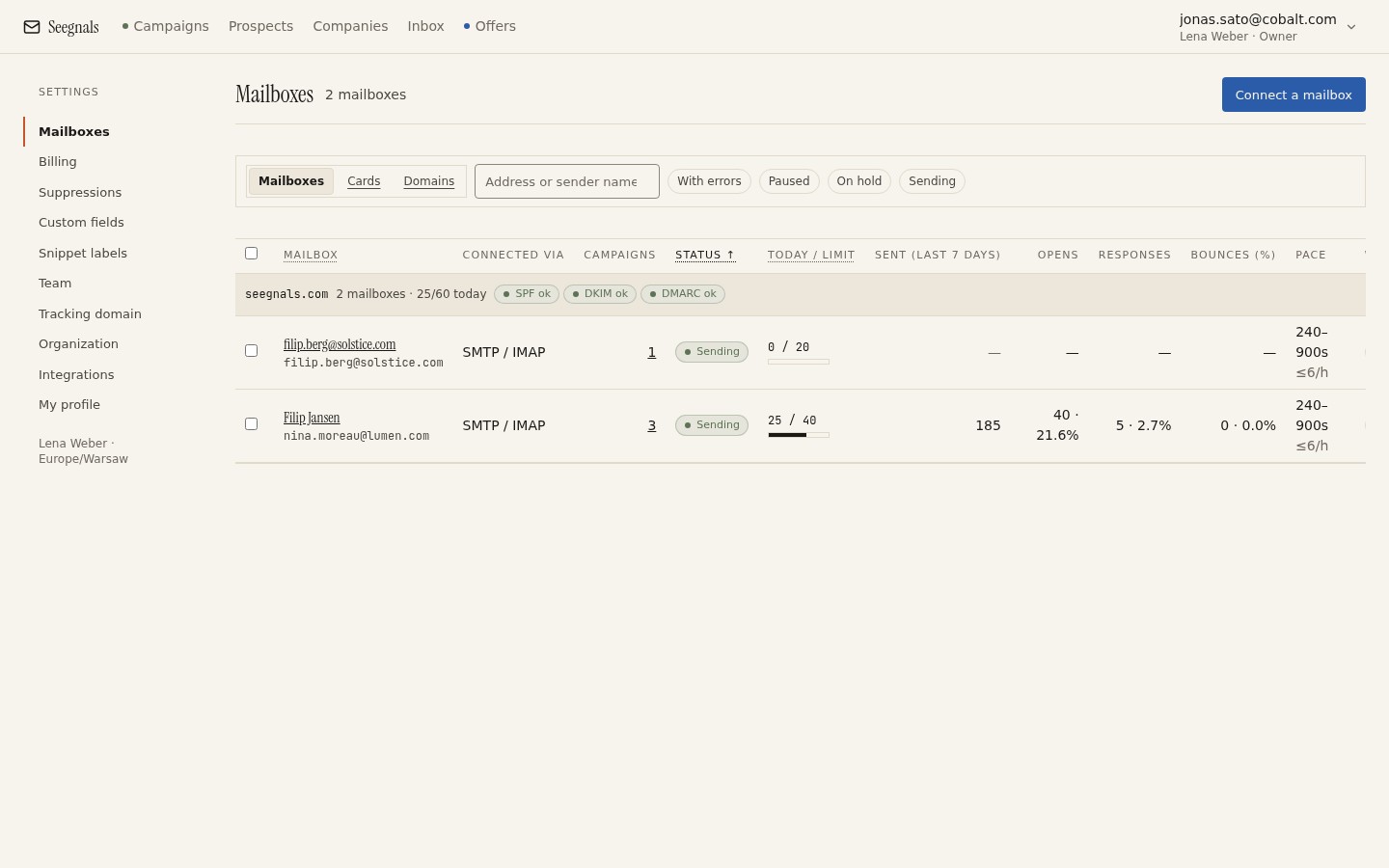 The limit and today’s pace sit on the mailbox itself, so it holds no matter how many campaigns are drawing on it, or how wide any one of their windows is.
A wide window is not a wider limit
It is tempting to think a wider window means more messages get sent. It does not. The window only decides which hours are available for sending; the mailbox’s daily limit still caps the total regardless of how many hours it has to work with. A mailbox capped at 30 a day sends 30 whether its window is two hours wide or ten.
What a wider window changes is the shape of the day, not the total. Given more hours to spread 30 messages across, the randomised gaps between them are longer and less regular, which is closer to what a person sending by hand actually produces. A narrow window forces the same 30 messages into a short burst, and a burst is a pattern receiving servers notice. If you want to reach more people per day, the lever is more mailboxes in rotation, not a wider window on one, and that trade-off is explained in mailbox rotation explained.
Setting the window itself
There is no universal correct width, but a sensible starting point is the ordinary working week: weekdays, and hours that comfortably cover a working day once translated into each prospect’s own timezone. Avoid the very edges of the day, the last hour before most people leave and the first hour before most people arrive, since messages that land there are the ones most likely to look automated regardless of content.
Resist the urge to narrow the window once a campaign is running because one day looked stronger than another in the stats. A single day’s numbers are noise more often than signal. If you want to know whether your list genuinely responds better at certain times, treat it as a proper comparison across several campaigns rather than a hunch acted on after one week, the same discipline covered in A/B testing cold email subject lines and variants for message content.
What to do this week
- Check the weekdays and hours set on each running campaign, and confirm they are wide enough to cover a full working day once read in the prospect’s own timezone.
- Confirm the fallback timezone used when a prospect’s is unknown is set to your actual workspace timezone.
- For any mailbox shared by more than one campaign, check its daily limit reflects everything that mailbox is being asked to send, not just one campaign’s share of it.
- If a campaign looks slow, check whether the bottleneck is the window or the mailbox limit before changing either. They are different settings solving different problems.
- Leave a window steady for a few campaigns before judging it. One week is rarely enough data to tell a real pattern from noise.