A list of five hundred addresses looks the same whether it is clean or half dead. That is the problem with cold email lists: nothing about a spreadsheet tells you which rows will bounce. The only way to find out before you find out the hard way is to ask the receiving mail server, one address at a time, whether the mailbox is actually there. That is what verification does, and doing it on import, before a single message goes out, is the difference between a campaign that runs and one the bounce shield stops on day one.
This article is about verification specifically: what the check actually does, what valid, invalid and unknown mean, why catch-all domains turn a chunk of any list into a judgement call, and what to do with the addresses that will not confirm either way.
What verification actually checks
Address verification connects to the receiving mail server and asks about one specific address, the same early step a real mail server performs before accepting a message, without sending anything. The server’s answer falls into one of three outcomes.
Valid. The server confirmed a mailbox exists at that address. Safe to send.
Invalid. The server confirmed no mailbox exists, or the domain itself does not accept mail. This is not a maybe. Sending here produces a hard bounce, and a hard bounce tells every mail server watching you that you are writing to a list you did not check. Remove these before import, always.
Unknown. The server would not say. Either it refused the check outright, which some providers do as policy, or the domain is catch-all, which means it accepts mail for any address without confirming which ones are real.
Three outcomes, not a score. A list is not “85% deliverable”; it is 400 valid addresses, 60 invalid ones you should not touch, and 40 you need to make a decision about. Treating verification as a single percentage hides the part that actually requires judgement, which is the unknowns.
Why catch-all domains cannot give you a clean answer
A catch-all domain is configured to accept every message sent to any address at that domain, real or not, and sort out delivery internally rather than rejecting unknown addresses at the mail server level. From outside, that means the verification step gets the same answer for real.person@company.com and qwertyzzz@company.com: accepted. The server is not confirming a mailbox exists. It is confirming it will not tell you.
This matters because a catch-all result and a valid result look identical if a tool is careless about reporting them, and plenty of list-building tools quietly fold catch-all into “valid” because it makes the list look better. It does not make the list safer. An address on a catch-all domain might belong to the person you found, might belong to nobody, and might have been mistyped by whichever tool generated it. You have no way to know from the verification check alone.
The honest answer is unknown, and Seegnals reports catch-all results as unknown rather than valid, because pretending otherwise just moves the risk from the import screen to the bounce shield a few days later. For the mechanics of how a catch-all server actually behaves, see catch-all domains and email verification.
What to do with the unknowns
An unknown is not a bounce waiting to happen the way an invalid address is, but it is not a confirmed mailbox either. You have three honest options, and the wrong move is skipping the decision and mixing unknowns in with confirmed addresses as if verification had already made the call for you.
Send them separately, carefully. Put unknowns in their own campaign, or their own segment of a campaign, with a bounce shield threshold set tighter than usual. If the unknowns turn out to be mostly real, you will see replies. If they are mostly dead, the shield catches it after a handful of sends instead of after the whole list.
Hold them and confirm another way. A quick look at the person’s LinkedIn or company page sometimes confirms the address format used elsewhere at that company, which is a stronger signal than the verification check alone could give you.
Drop them. If the list is large enough that the unknowns are a small fraction, and confirming them individually is not worth the time, cutting them is a legitimate and often correct choice. A smaller list that lands is worth more than a larger one that risks the domain.
Whichever you pick, apply it to the whole batch of unknowns from one list, not address by address on a whim. Consistency here is what makes the decision auditable later.
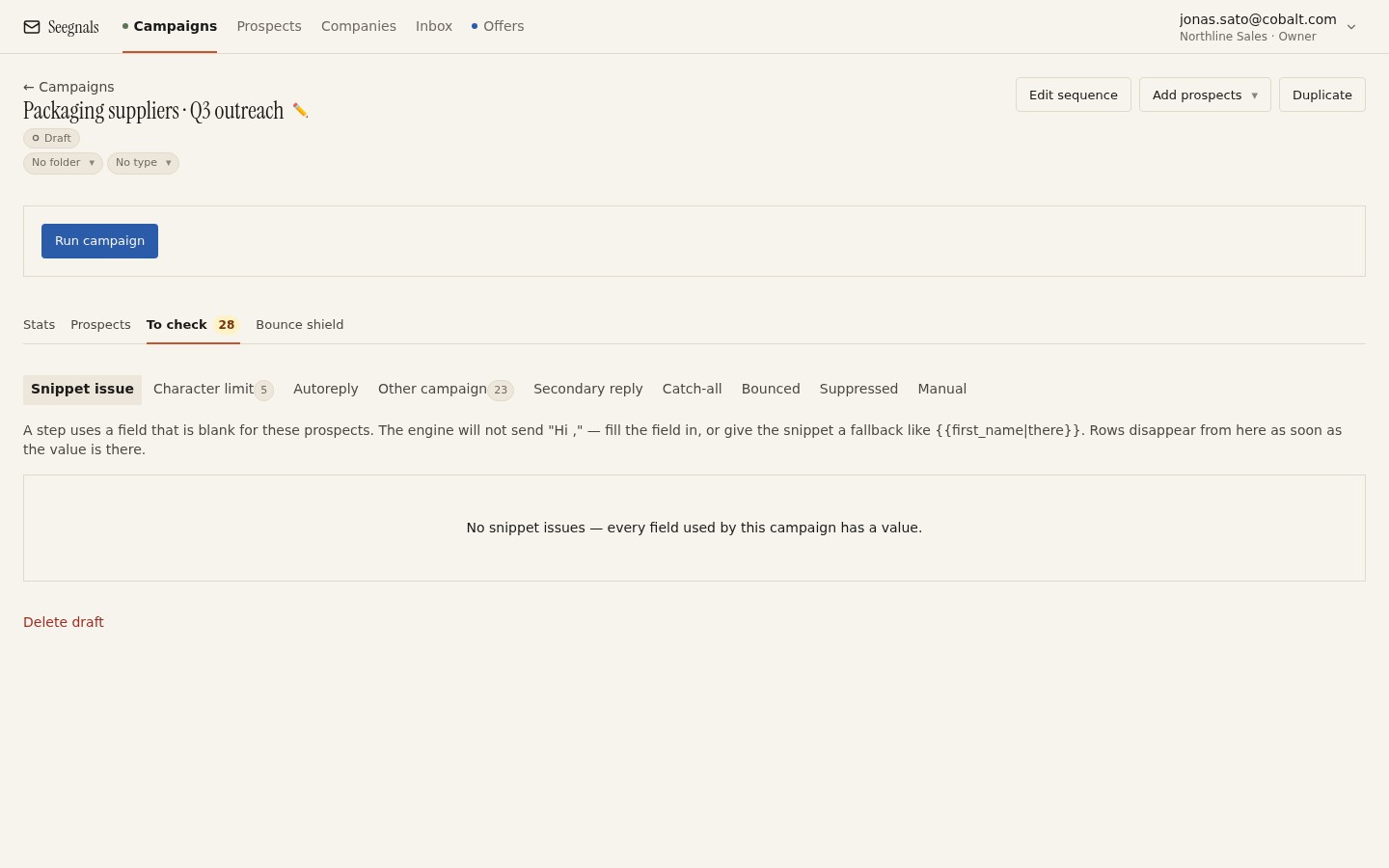 Unverifiable addresses, suspicious domains and duplicates wait here before a campaign starts. Deciding on each one beats sending them all to find out.
Why verification belongs at import, not after
Seegnals runs address verification on import, including catch-all detection, and holds anything doubtful in the To check queue before the campaign’s first send. That timing is the entire point. A bounce that happens because an address was never checked is a bounce that happened because the decision got made by default, after the fact, by the receiving server instead of by you, ahead of time.
The alternative, sending everything and letting the bounce shield catch the fallout, still protects the domain, but it protects it by pausing the campaign and burning a chunk of your goodwill with the receiving servers before it acts. A campaign that pauses on day one because a third of the list was never real also does not tell you much about your message, your subject line or your offer. It tells you about your import screen. Verification at import separates the two problems so that when a campaign underperforms, you are looking at the writing, not the plumbing.
Verification is not a one-time stamp
A list verified in March is not verified in September. People change jobs, companies retire old mailboxes, and a domain that was catch-all last year might tighten its rules, or the reverse. Verification tells you the state of an address at the moment you checked it, and that state has a shelf life.
Re-verify before reuse whenever a list has sat for more than a few months, whenever you are pulling old contacts back into a new campaign, or whenever a source you trust less than usual has produced the list. The list quality checklist covers the wider set of checks a list needs before import; verification is the one item on that list with an expiry date attached to it, and it is worth treating separately for that reason.
What verification cannot do
It is worth being precise about the limits, because a verified list is not a guarantee. Verification confirms a mailbox exists right now; it cannot confirm the mailbox still exists tomorrow, and it cannot confirm the person behind it still works there. It also cannot fix a sending reputation problem: if your domain’s SPF, DKIM or DMARC records are wrong, or a mailbox has been sending too fast, mail can be rejected for reasons that have nothing to do with whether the address is real. The deliverability side of a campaign and the list-quality side are separate problems that happen to produce the same symptom, a bounce, so do not let a clean verification result stop you from checking authentication as well.
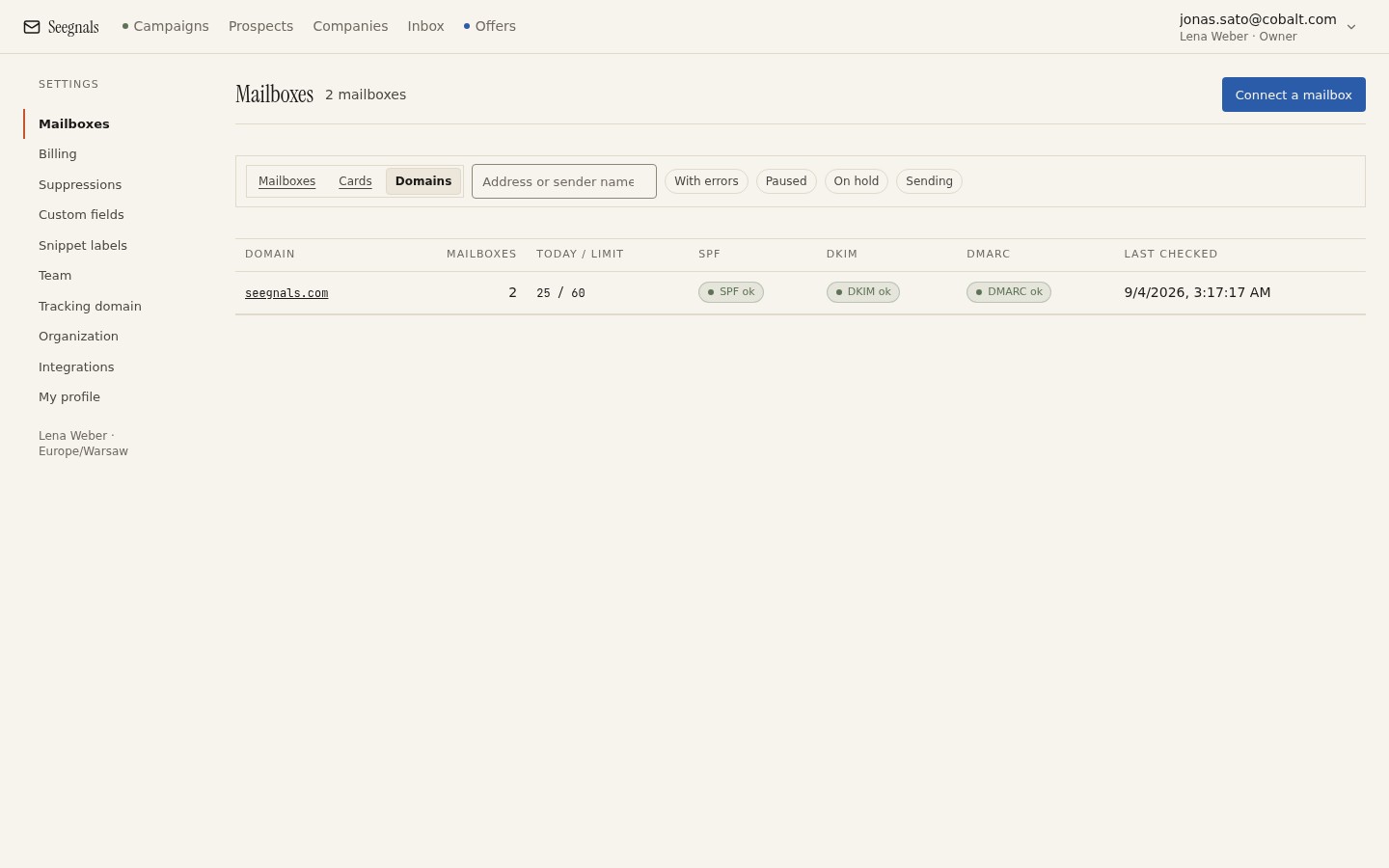 A verified list and a healthy domain are two different checks. Both need to pass before a campaign is safe to run.
What to do this week
- Pull your next list and run verification on import before you write a single word of the sequence. Separate the results into valid, invalid and unknown, and remove the invalid ones outright.
- Decide, in one sentence, what you will do with unknowns for this list: a separate campaign with a tight bounce threshold, a manual check, or a cut. Write the sentence down so the next person does not have to decide again.
- Check the age of any list you are about to reuse. If it is more than a few months old, re-verify before it goes anywhere near a campaign.
- Confirm the To check queue is empty because you decided on every entry, not because you cleared it in bulk.
- Once the list is clean, check the Deliverability tab for your sending domain. A verified list going out through a domain with a failed DMARC record still bounces, just for a different reason.