Ask ten outbound people how many contacts they add per company and you will get answers from one to ten. The one-person camp says anything more is spam. The ten-person camp says you never know who the buyer is. Both are guessing.
The honest answer is two to four for most B2B accounts, chosen by role rather than by name, spaced so that no two people at the same company receive a cold opener on the same day, and with a clear rule for what happens to the others when one of them answers. This article walks through each of those decisions and how company size changes them.
The trade-off in one paragraph
Every extra person at an account raises the chance that at least one of them cares, and raises the chance that the account notices it is being worked as a list. One person means your whole account rests on a single inbox, a single holiday, a single spam filter. Six people means the head of department is likely to hear “did you also get this” at Monday’s meeting. Somewhere between those is a number where the account feels approached rather than carpeted. For most companies with between roughly twenty and a few hundred employees, that number is two to four.
The reason to think in accounts at all is covered in why the company is the unit. Here we assume you already do.
Start from roles, then find the names
Start from the decision. For the thing you sell, who feels the problem, who owns the budget, and who has to live with the choice afterwards? Those are usually three different people, and they map onto three roles.
The user or operator. The person whose day changes if your product works. In manufacturing that might be a production planner; in a software company, a team lead. They reply most often and buy least often.
The owner of the outcome. A head of department or director who is measured on the number your product moves. They reply less often but their replies matter more.
The gatekeeper or influencer. Procurement, IT, finance, legal, depending on what you sell. They rarely buy, but they can stop a purchase, and an early, respectful message to them removes a later objection.
Pick the two or three roles that fit your product and fill them per account. If a company has two people in the same role, take one. If a role does not exist at a small company, skip it rather than forcing a fourth person in.
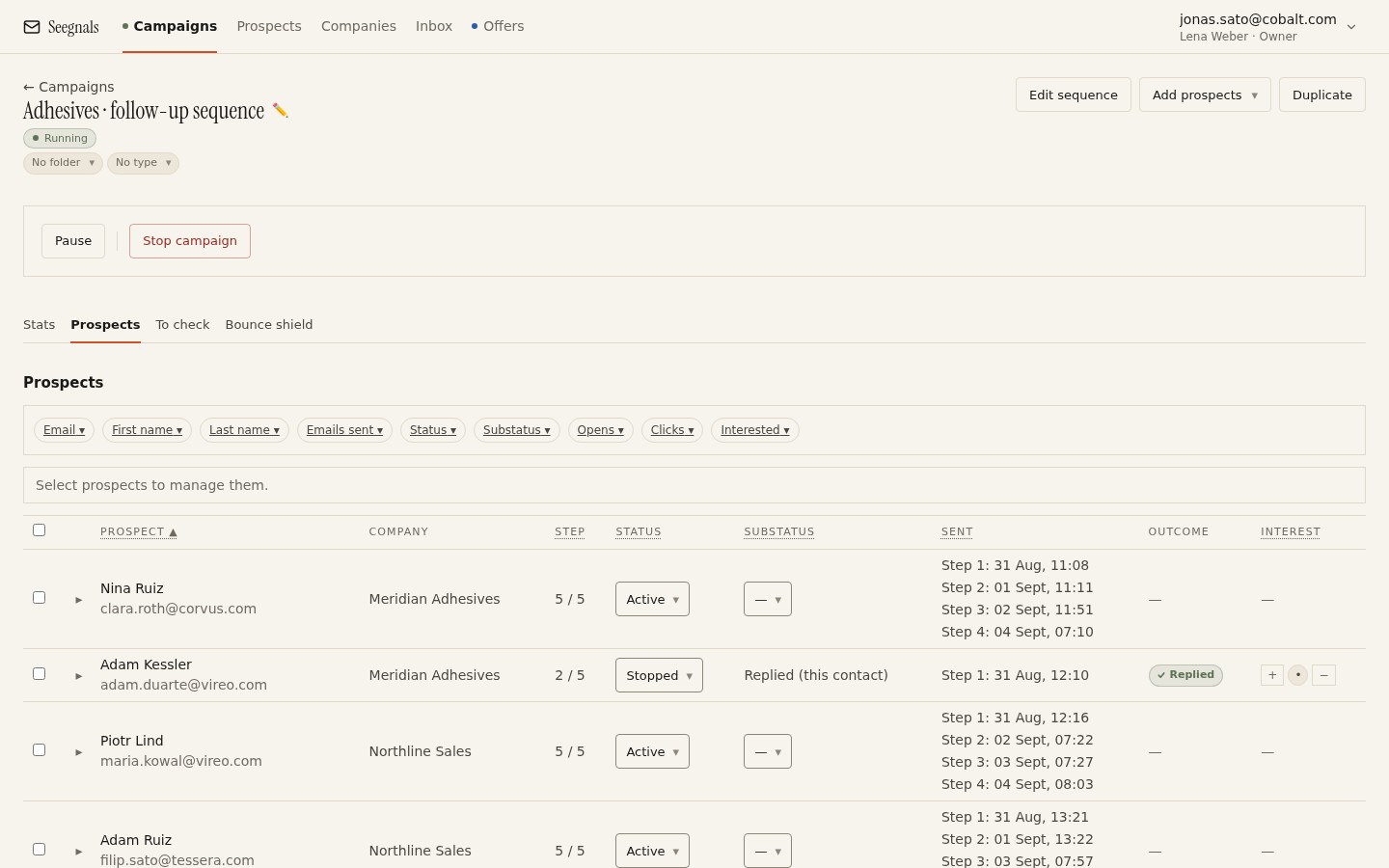 Each row is a person, but the roles you chose are what make the list coherent: two to four per company, each there for a reason you could say out loud.
Write the role into a custom field when you import. It costs nothing, it lets you build a snippet around it, and, more importantly, it lets you filter later: which role replies most, which never does. The mechanics are in personalisation with snippets and custom fields.
Spacing sends within one account
Two people at one company receiving the same opener at the same minute is the single most avoidable mistake in account-based outreach. It reads as a mail merge, because it is one.
Three ways to space them.
Stagger by entry. Put the operator in the campaign first. Add the owner two or three working days later, after you have seen whether the operator opened. Add the gatekeeper only if the account shows signs of life. Each person then enters the sequence at a different point in the calendar.
Vary the message as well as the name. The owner should get a message about outcomes, the operator about the daily problem. If both messages are the same text with a different first name, spacing will not save you.
Keep one sender per account where you can. If you rotate across several mailboxes, three colleagues receiving mail from three different senders at your company looks odd. A campaign in Seegnals rotates across the mailboxes you picked and keeps each prospect on the mailbox it started with, so follow-ups stay in one thread. Rotation is a deliverability tool, explained in mailbox rotation explained, and it is worth knowing how it interacts with multi-person accounts.
What happens when one of them replies
This is where the number of people stops being a list question and becomes a conversation question.
When one person at an account replies, the classifier stops the sequence for that person. The other two or three are still scheduled. You have a choice, and you should make it deliberately rather than by default.
If the reply is interested, pause the others. You now have a conversation. Bringing in more people is the prospect’s job, and a cold step three arriving at their colleague while you are arranging a call undermines the trust you just gained.
If the reply is not interested, but from the operator, you may reasonably continue to the owner with a different angle. One person’s no is not the company’s no. Do it openly: mention that you spoke to their colleague.
If the reply is not interested from the owner or the gatekeeper, stop the account. Continuing past a decision-maker’s no is how domains get reported.
If the reply comes from someone you did not write to, the account is forwarding your mail internally. That is a good sign, and it has its own guide: when a colleague replies instead of your prospect.
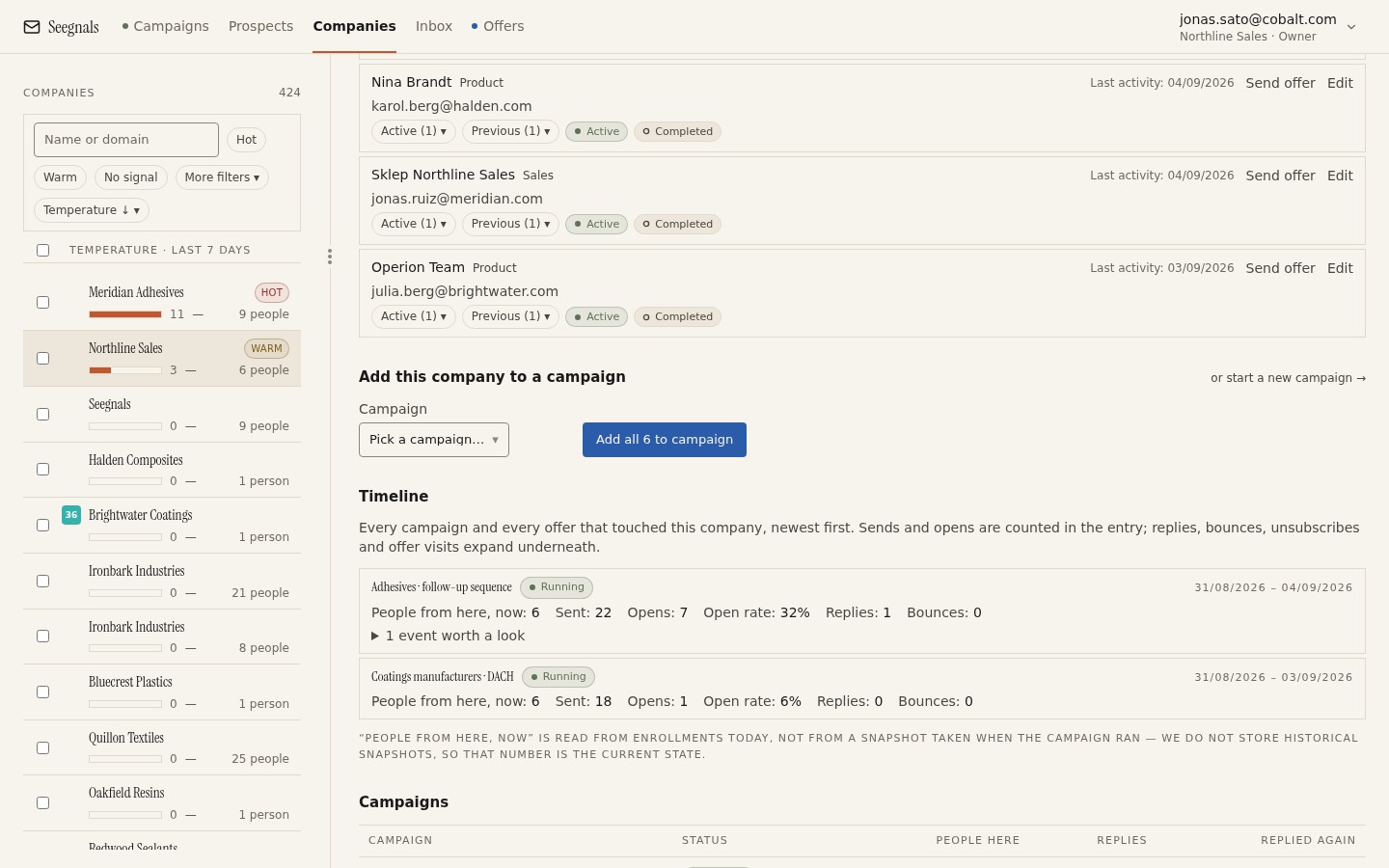 The card answers the question the moment a reply lands: who else at this company is still in a sequence, and what have they seen so far.
Company size changes the answer
The two-to-four rule assumes a company big enough to have roles and small enough that people talk to each other. At the extremes it bends.
Very small companies, under about ten people, are often one decision-maker plus staff. Contact one person, possibly two. A third message to a five-person firm is noise.
Large enterprises, with thousands of employees, are many companies sharing one domain. The plant in one country and the head office in another may never speak. Here you can reasonably work several people, but treat each site or business unit as its own account in your planning even if the domain groups them together. Four people spread across four business units is not four people in one team.
Group structures with several domains are the mirror case: one decision unit, many domains. Treat them as one account in your planning and apply the two-to-four rule to the whole.
Signs you have too many or too few
Too many: replies that mention colleagues (“we have all had this”), an unsubscribe request from one person followed by silence from the rest, or a rising bounce count at one domain because you went deep into the org chart and hit stale addresses. The bounce shield will pause the campaign if that gets bad, but it is a symptom of over-contacting.
Too few: accounts that go quiet after a single out-of-office, or a temperature that never moves because the only person you wrote to is the wrong one. If your best accounts are stalling on one inbox, add the second role before you write off the company. How the temperature reflects this is in company temperature explained.
The right number is also allowed to change per segment. Two people for small firms, four for mid-sized, and a site-by-site plan for enterprises is a perfectly sensible policy.
What to do this week
- Write down the two to four roles for your typical account, in the order you would approach them. If you cannot name the role’s problem in one sentence, drop it.
- Add a role column to your import file and map it to a custom field. Use it in one snippet and one filter.
- Look at your last twenty accounts with more than one contact. For each, check whether two people received an opener on the same day. Fix the schedule for the next batch.
- Write your reply rule as one paragraph: what happens to the rest of the account on interested, on not interested from an operator, and on not interested from a decision-maker.
- Find one account that stalled on a single person and add the second role this week, with a message that acknowledges the first person by title.