“Hi Anna, I loved your recent post” is not personalisation. It is a template with a name in it, and the reader knows that within a second. Worse, when the data behind it is thin, it produces the two failures everyone has received: the blank after “Hi”, and the compliment about a post the reader never wrote.
There is a more honest way to do this, and it scales better. Personalise at the level of the segment. Say something that is true of every company on the list and specific enough that the reader recognises their own situation in it. Then use one or two custom fields for the details that genuinely differ per company, with fallbacks written so that an empty field never shows.
The result is an email that reads as if a person who understands the reader’s business wrote it, because one did: once, for the segment, with care. This piece covers what to personalise on, how to write segment-level truth, how to build snippets that do not break, and how to check the result before anything is sent.
Two kinds of personalisation
The first kind is addressing. First name, company name, maybe the city. It tells the reader you know who they are. It does not tell them you know anything about them. It is necessary and it is worth nothing on its own.
The second kind is relevance. A sentence that shows you understand the reader’s situation: the kind of machines they run, the market they sell into, the regulation that changed for them this year, the fact that they opened a second site. This is what makes a cold email credible, and it is the only kind worth the effort.
The mistake most teams make is to invest in the first kind, because it is easy to automate, and to fake the second kind with compliments and guesses. “Congratulations on your growth” to a company you know nothing about is not relevance; it is a lie with a merge field in it, and readers treat it as such.
Segment-level truth
Here is the useful trick. You do not need a unique observation per company. You need a true observation per segment, written well enough that each reader thinks it is about them.
Say you sell packaging machinery to food producers in the DACH region with more than one production site. Everything in that sentence is a fact you can check for each company on the list, and it implies a situation every one of them shares: several sites, different line speeds, changeovers that cost time, a purchasing decision that has to work across plants. A single sentence about that situation, written once, will read as personal to every plant manager on the list, because it is about their week.
Compare that with “I noticed you are a leading producer of food products.” Nobody’s week is about being a leading producer.
To write segment-level truth, describe the segment with facts you can check, list the three or four things those facts imply about the reader’s daily work, and write one sentence about the most painful one. Then test the sentence by reading it as three different companies on the list. If it fits all three, it is segment truth. If it only fits one, it is a custom field. If it fits none, your segment is too wide, and the fix is upstream, in the list. This is why the order of decisions in the honest basics starts with the list.
Where custom fields earn their place
Custom fields are for the one or two details that differ per company and that you can actually fill for the whole list. Number of sites. The product line named on their website. The city of their main plant. The role of the person you are writing to. Things a person can find in a minute and that the reader will recognise as specific.
The rule is: build the fields before you write the copy. Look at your CSV. Which columns are filled for every row? Those are the fields you may write copy around. Which columns are filled for a third of rows? Those need a fallback, or they get cut. Copy written around data you do not have is how “Hi ,” happens.
Keep the number small. One well-filled custom field beats five patchy ones, and each extra field is another place for the email to break. The practical mechanics, including renaming fields and mapping columns on import, are in personalisation with snippets and custom fields.
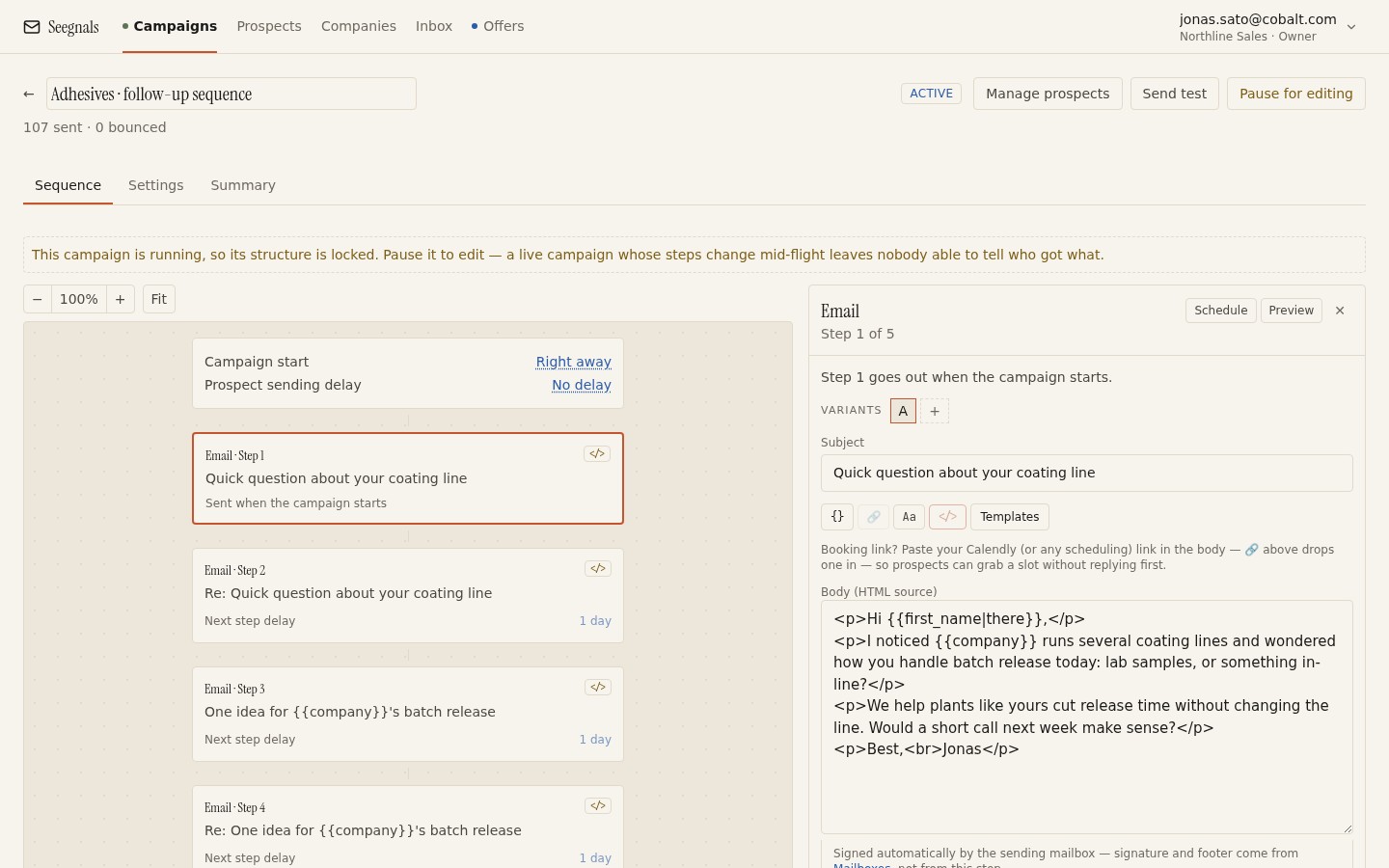 The snippet is a small part of the message; the sentence around it is written once for the segment and is what actually does the work.
Fallbacks that read as sentences
A fallback is what appears when the field is empty. Most tools let you set one, and most people set it badly: “there” instead of a first name, or an empty string that leaves a hole.
Write the fallback as a complete alternative sentence. If the field is the number of sites and the snippet sits in “with {{sites}} production sites”, the fallback for an empty field should not be “several”; it should let the whole clause disappear or turn into something true of the segment, such as “across more than one production site”. The test is to read the email with every field empty. If it is still a good email, the fallbacks are right.
Some fields should have no fallback at all. If the whole first line depends on a detail you could not find, the email should not be sent until someone fills it. In Seegnals, prospects whose records are missing a field that a snippet needs are held back in the To check queue before the first send, alongside unverifiable addresses and suspicious domains. You fix them or skip them; nothing with a gap leaves. Treat that queue as part of the launch checklist.
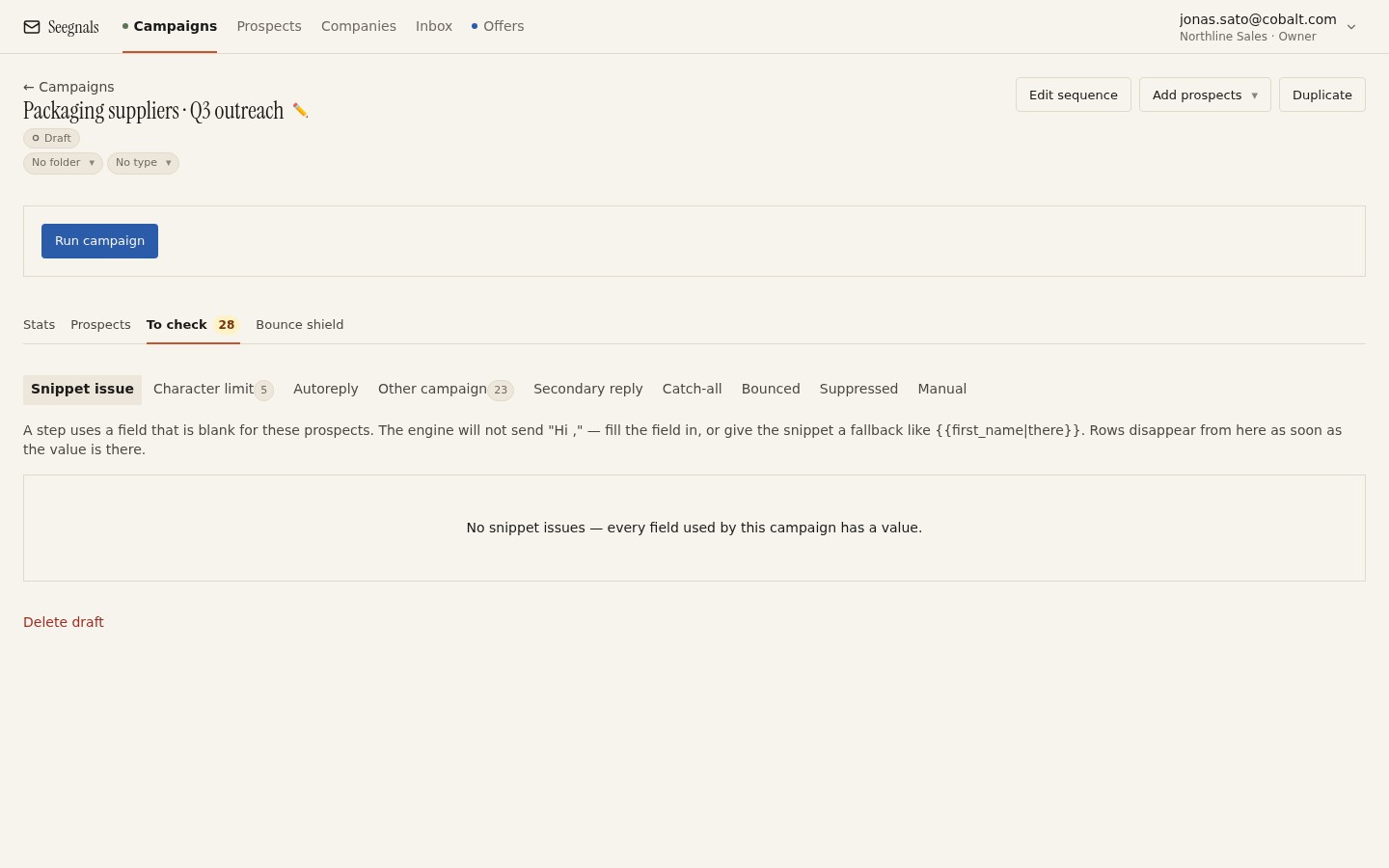 A prospect with an empty field that a snippet needs waits here until you fill it or skip them, so the reader never sees the seam.
The rest of the email stays identical
Once the segment sentence and the one custom detail are in place, resist the urge to vary anything else. Keeping the remainder of the message identical across the segment has two benefits.
It scales. A person can research one detail per company in a minute; they cannot rewrite the email per company and keep up with a campaign of two hundred.
It measures. If the only thing that varies is the personalised line, you can tell whether the personalisation earned its replies. Run the step with the line and without it as A/B variants and compare. A variant comparison table per step is the right tool for this; the method is in A/B testing subject lines and variants.
This also protects you from a subtler failure: the email that is fully personalised and still says nothing. If four hundred people each got a unique first line and the same weak ask, the personalisation was wasted. The ask is a separate decision, covered in one ask per cold email.
What not to personalise on
Compliments. “Great website”, “impressive growth”, “love what you are doing” are not observations. They are filler that signals a template, and they set a tone you cannot recover from. There is a whole piece on first lines that are not embarrassing.
Guesses dressed as facts. If you do not know that they are hiring, do not say “I see you are hiring”. If your data says “manufacturing” and nothing more, do not name a product line.
Personal details. Where someone studied, what they posted at the weekend, a family event. In B2B cold email these read as surveillance, and they raise questions about how you obtained the data. Keep personalisation about the company and the role. The legal footing for writing to business contacts at all rests on legitimate interest, which is easier to defend when the content is about the business; see GDPR and cold email.
Anything you would be embarrassed to have quoted back. If the reader replies “we do not actually have three sites”, the email is over and so is the account.
What to do this week
- Take your current segment and write one sentence about the situation every company on the list shares. Read it as three companies from the list; keep it only if it fits all three.
- Open the CSV and mark which columns are filled for every row. Write copy around those columns only.
- For each snippet, write a fallback that is a complete clause, then read the whole email with every field empty. Fix anything that reads as a hole.
- Cut every compliment and every guess from the template. Replace them with the segment sentence and one checkable detail.
- Before the next launch, clear the To check queue by hand: fill the missing fields you can, skip the rest.