Your proposal is finished. You send the link. The prospect clicks and lands on a page whose address is a software vendor’s domain, with the vendor’s logo in the corner. The document is yours. The experience is somebody else’s. For a small B2B team trying to look established, that is a strange thing to hand a buyer at the exact moment they are judging you.
White-label proposal links fix this. The document opens on a domain you own, with your logo. The tracking, the reading-time heat map and the optional email gate all work as before. The reader sees your brand all the way through.
This article explains what white-label means for a proposal link, why the domain in the link matters for trust and for email filters, what the setup involves, what changes on the page and what does not, how it relates to the custom tracking domain you may already have, and what white-labelling does not do.
For the basics of tracked proposals, start with what happens after you send the PDF.
What white-label means for a proposal link
A tracked proposal link points at a page that renders your PDF and records how it is read. By default that page lives on the service’s own domain. White-labelling moves it to a subdomain you control, such as proposals.yourcompany.com, and puts your logo on the page.
Everything the reader does works the same way: page-by-page view, zoom, keyboard, print, download. Everything you see works the same way: visits, reading time per page, returns, the offers list. What changes is the address bar and the branding.
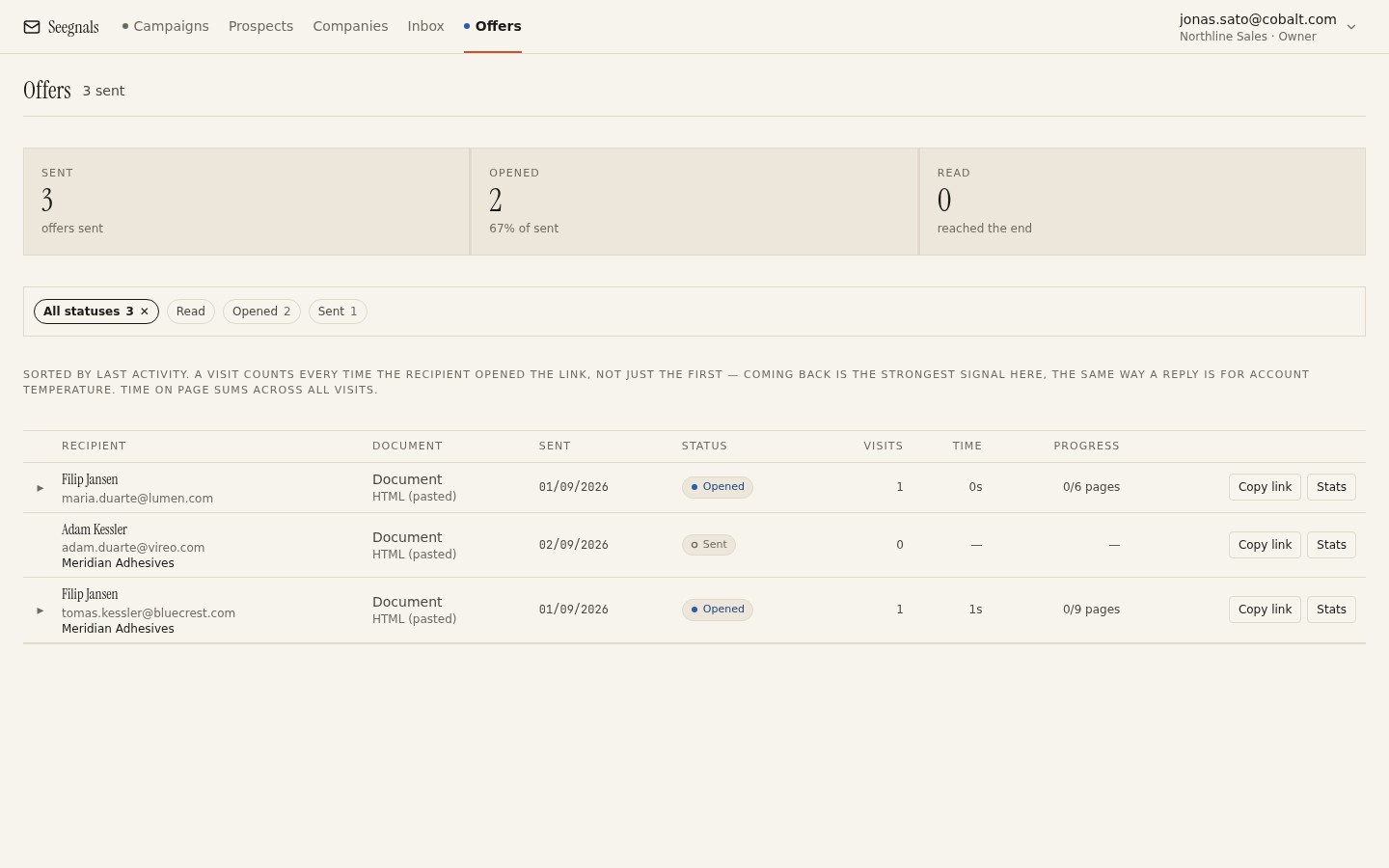 The offers list looks identical whether links are white-labelled or not; the difference is the address your prospect sees when they click, and the logo at the top of the page.
In Seegnals this is a workspace setting: your own domain and logo on the offer page, applied to every proposal you send from then on.
Why the domain in the link matters
Three reasons, in increasing order of practical weight.
Perception. A buyer evaluating a supplier notices details. A link on your domain says the proposal process is yours. A link on a third-party domain says you rent it. Neither is disqualifying, but one is better.
Continuity. Your prospect received emails from yourcompany.com, visited yourcompany.com, and now opens a proposal at proposals.yourcompany.com. Every touch is under one name. That consistency is also what makes a request-access screen or an emailed one-time code feel legitimate rather than suspicious; the reasoning is in protecting a proposal link with a one-time code.
Filters. Email security tools look at the domains in links. A link to a domain that many unrelated senders also use carries the reputation of all of them. A link to your own domain carries yours. For most senders this is a marginal effect, but it moves in the right direction, and it is the same logic that applies to tracking links, covered in custom tracking domain for opens and clicks.
There is also a corporate reason that has nothing to do with sales: some customers have policies about where their suppliers’ documents may be hosted. A link on your domain is easier to explain to their IT department than a link on a vendor they have never heard of.
The technical part
Putting a hosted page onto your domain is a DNS task. The usual shape is one record at your domain registrar or DNS provider.
You choose a subdomain. Something descriptive and short: proposals, offers, docs. Avoid your bare domain and avoid www; those already point at your website.
You add a record. Typically a CNAME, which tells the internet that your subdomain is served by the provider’s infrastructure. The provider tells you exactly what value to enter.
You verify. The provider checks the record exists and points to the right place, then serves the page over HTTPS on your domain. Until verification passes, links continue to use the default domain, so nothing breaks while you wait.
Expect this to take minutes of your time and some waiting for DNS to propagate, depending on your provider. If you have already set up a custom tracking domain for email opens and clicks, the process is the same shape and you already know where to click.
Two cautions. Do not reuse the tracking subdomain for proposals; they serve different purposes and should be separate records, which keeps each one simple to reason about. And keep the record in place for as long as any proposal link is live; deleting it breaks every link that used it.
Logo, controls and what stays the same
White-labelling changes the frame around the document.
Your logo appears on the page, so the reader sees your identity before the first page of the PDF loads. The document itself is exactly the PDF you uploaded; the design of the proposal is still your job, and the page does not restyle it.
The controls stay the same: page navigation, zoom, fit, print, download. Readers who know how to use one proposal page know how to use yours.
The gate, if you enable it, appears on your domain too. A prospect asked for their email and a one-time code at proposals.yourcompany.com has an easier time trusting the request than one asked at an unfamiliar address.
The analytics are unchanged. Reading time per page, visits, returns, progress: everything described in reading time per page works identically. The domain is a presentation layer.
Same idea as the tracking domain, different job
Teams that send cold email will already have met the custom tracking domain: a subdomain you verify so that opens and clicks in your emails are tracked through a domain you own rather than a shared host. Without it, Seegnals simply does not track opens and clicks and says so in the interface.
The proposal domain does a different job. Tracking domains handle tiny redirects and image loads inside emails. The proposal domain hosts a full page a person reads for minutes. They are separate records, and it is worth keeping them separate in your head too.
What they share is the principle: anything your prospect’s mail client or browser touches should carry your name. Email from your domain, links through your domain, proposals on your domain. A prospect who checks any of them finds you.
If you are setting up both at once, do the tracking domain first. It affects every email you send, whereas the proposal domain affects only the deals that reach the proposal stage. The tracking side is described on the deliverability page.
What white-label does not do
A few honest limits.
It does not hide that you use a tool. A curious prospect can look at the page and see it is a document viewer. White-labelling is about consistency and trust, and nobody is fooled or needs to be.
It does not change the document. A proposal with your logo on the frame and a weak PDF inside is still a weak proposal. Spend the time on the content.
It does not improve deliverability of the proposal email by itself. The email carrying the link still needs a properly authenticated sending domain, a sensible sending pace and a real relationship. See SPF, DKIM and DMARC for cold email senders if that side is not in order.
It does not require a separate plan. In Seegnals every feature is in every tier; the pricing page has the detail, and white-labelling is not behind a paywall.
What to do this week
- Click the link on your last proposal as a prospect would. Note the domain and the logo. Decide whether that is what you want a buyer to see.
- Choose a subdomain for proposals and check nobody on the team has already used it for something else.
- Add the DNS record and verify it. Do the tracking domain at the same time if you have not yet.
- Upload your logo and send a test proposal to yourself. Open it on a phone and a laptop.
- Update your proposal email template so the wording matches the new address: “the proposal is on our site at the link below” is now literally true.